
MS Access As A Dev Tool
Access continues to be a highly efficient tool for business database development.
 Call (323) 285-0939
Glendale is home to a dense mix of healthcare providers, media companies, financial firms, and city agencies that all depend on data to get work done. When your Access database starts slowing down, throwing errors, or locking people out, the impact hits fast. We've been building and repairing these systems for over 36 years.
We know Glendale offices often run shared databases across mapped drives or OneDrive syncs, which creates a whole different set of link and multi-user headaches. Whether you need a quick repair or a full migration to SQL Server, we'll figure out what's actually wrong first. Call (323) 285-0939 and let's talk through what you're dealing with.
Ready to get started? Call us or visit our contact page.
Alison Balter has been building and repairing Microsoft Access databases since Access version 2 in the early 1990s, long before most of her clients had heard of SQL Server. She holds MCSD, MCP, MCT, and Microsoft Certified Partner credentials, and has authored 15 books on Access programming, including the Mastering Microsoft Access series from Access 95 through Access 2007, a reference still used by development teams at large companies today.
That combination of hands-on experience and documented precision shows up in how we diagnose problems, not just in a credentials list. Before we write a line of code, we talk to the people who actually sit at the keyboard, not just the manager who requested the project. We want to know what breaks most often under pressure, and usually that's not what the person who commissioned the work expected. Then we design the structure, build the queries and forms, and deliver something your team can use on day one without a training session.
Glendale's business community spans healthcare networks along Brand Boulevard, media and entertainment companies near the Americana, financial services firms, and city agencies that all run on data. We've worked with businesses in this corridor for years. It's a city where one database might track patient referrals and the next one manages production schedules. If your Access file is getting slow, your reports are misbehaving, or you need a cleaner setup before onboarding more users, call us.

Ready to get started? Call us or visit our contact page.
A Glendale financial services firm came to us with an Access database they'd been running for seven years. It started as a simple client tracker and gradually absorbed billing records, compliance logs, and quarterly reporting. By the time they called, their end-of-month reports took over five minutes to generate and two people had stopped using the system entirely. We moved the data tables to SQL Server, rebuilt the linked table connections, added proper indexes on the date and client-ID fields, and re-tested every report. That same month-end run now finishes in under 20 seconds.
When Glendale offices also need staff to log data from outside the building, ASP.NET ties the SQL Server back-end to a fast web interface without touching the Access front-end the office already knows. Most of our Glendale clients don't want to retrain their staff on a new system. They just want the one they have to stop breaking.
Ready to get started? Call us or visit our contact page.

Ready to get started? Call us or visit our contact page.


Ready to get started? Call us or visit our contact page.





Access continues to be a highly efficient tool for business database development.
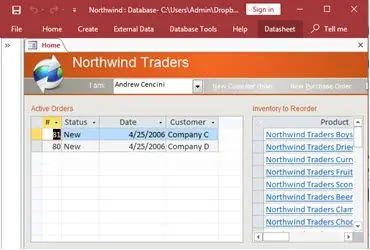
How to create a Microsoft Access application with some unique tips and tricks.
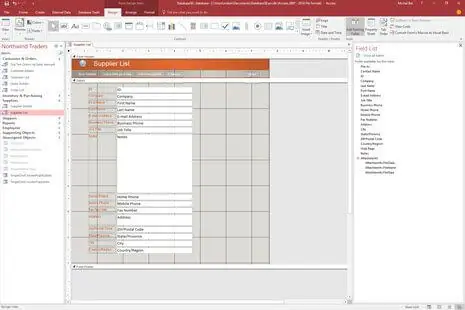
Your Access developer near me has some great info for you about using Access efficiently.
Answer: Yes. Corruption in Glendale offices often shows up after a OneDrive sync conflict or a power cut mid-write. We copy the file first, run compact and repair, and if that doesn't clear it, we extract the tables and objects one by one. Most businesses are back up the same day or the next morning.
Answer: A few of these together usually settle it:
One or two of those might just need targeted fixes inside Access. Three or more, and SQL Server migration is usually the right call. We'll give you an honest read before any work starts.
Answer: The first step is understanding the work, not the software. We map out what your Glendale business actually tracks, who enters it, and what reports matter most day to day. Then we build the tables, relationships, forms, and queries around that. Most projects run four to eight weeks depending on scope. It's not unusual to have a few questions come in during the first week of real use, and we handle those as part of the job.
Answer: Broken links are one of the most common calls we get from Glendale offices, especially from organizations using OneDrive or mapped network drives. The path the front-end expects no longer matches where the back-end file actually lives. We relink all the tables to the correct location, confirm every form and report is pulling live data, and set up a consistent folder path that won't break again when someone reorganizes a drive.
Answer: That's one of the messier jobs we handle, and it comes up a lot when a Glendale business has been running parallel spreadsheets for years. Mixed date formats, duplicated records, columns that got used for two different things at different times. We audit what came in, deduplicate, standardize the formats, and set up validation rules so future imports don't drag in the same problems.
Answer: VBA handles the repetitive tasks that eat up staff time: sending scheduled reports by email, running end-of-day data cleanup routines, validating entries before they save, and triggering follow-up actions automatically. We had one Glendale client cut about 90 minutes of manual work per day just by automating their daily export and filing sequence. Most of these projects pay for themselves within a few weeks.
Answer: Broken Excel exports are usually caused by field size mismatches, number format inconsistencies, or report sections that don't translate cleanly to a flat spreadsheet layout. We rebuild the export logic, lock down the column types, and test against the exact report your team uses most. Once it's right, it stays right regardless of who runs the export or what machine they're on.
Ready to get started? Call us or visit our contact page.
A lot of Glendale businesses are still running Access databases that were built five to ten years ago by someone who's no longer around. Most of them work fine until they don't. When something breaks, or the file gets too big, or a second department needs in at the same time, that's usually when we get the call. We fix what went wrong and, if the setup needs a proper SQL Server back-end to stay stable long-term, we handle that too.
Glendale has one of the more varied business environments in the San Fernando Valley foothills. We've worked with healthcare practices along Brand Boulevard, production and media companies near the Americana, financial service firms in the downtown corridor, and city agencies tracking permits, inspections, and service requests. The most common pattern we run into is a database that started as a simple tracking tool and kept growing until it held far more than it was designed to handle. Performance degrades, forms start misbehaving, and sometimes the file corrupts. All of those are fixable problems we deal with regularly.
When you need a Microsoft Access programmer for your Glendale, California business, call MS Access Solutions at (323) 285-0939. We've been doing this work for over 36 years. Glendale's healthcare and media mix means the databases we work on here get used in more complicated ways than most. Some clients call with a quick VBA question. Others send us a 1.8 GB file that hasn't been compacted in two years and ask us to sort it out. We handle both.
We serve all cities in Los Angeles County, including Burbank, California.
MS Access Solutions provides Microsoft Access programming, repair, and SQL Server migration services throughout Los Angeles County.