
MS Access As A Dev Tool
Access continues to be a highly efficient tool for business database development.
 Call (323) 285-0939
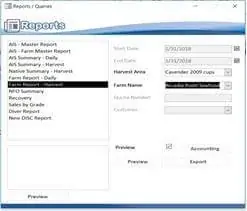
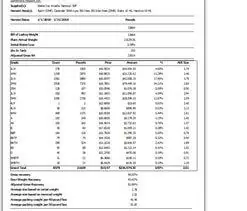
 If your Whittier staff depends on Access reports and the numbers keep changing, it's usually the report source queries, not the data itself. We fix joins, filters, totals, and calculated fields so your results are consistent and easy to trust.
We also automate PDF and Excel exports, build one-click report packets, and clean up report layouts so your monthly and weekly routines stop turning into a scramble. Call (323) 285-0939 for a free consultation.
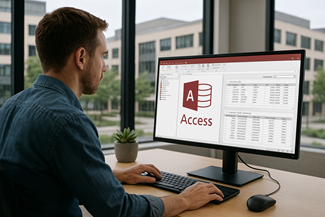
We often run into Whittier offices around Uptown and off Whittier Boulevard that have a few Access files floating around: one for intake, one for tracking, and another for reports. When totals do not match or the same job shows up twice, the fix is usually tightening keys, cleaning imports, and aligning query logic. We can also stabilize multi-user performance, reduce record locking, and rebuild slow reports so they open quickly and export cleanly to PDF or Excel. If your data has outgrown a shared folder, we can upsize the tables to SQL Server while keeping the screens your staff already knows.
The Best Microsoft Access Database Solutions owner, consultant, and principal programmer is Alison Balter - a recognized expert Microsoft Access consultant. Alison is the author of 15 Microsoft Access training books and videos. She is a frequent guest speaker at MS Access conferences and has developed hundreds of applications for businesses of all types.
We know your business data is important. We isten to your concerns, ask clarifying questions, and gather input from the people who use the system every day. Together we define what you need from your database, why certain features matter, and how staff actually works. From there we design the right table structure, queries, forms, dashboards, and reports so you get a stable system that supports real-world decision making.










Access continues to be a highly efficient tool for business database development.
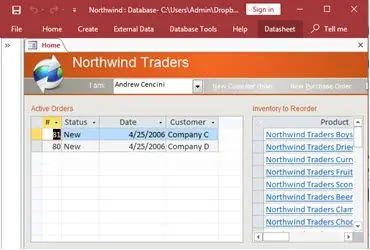
How to create a Microsoft Access application with some useful tips and best practices.
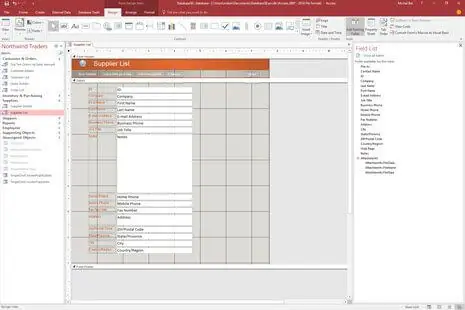
Your Access developer near you has practical advice on choosing and working with an Access consultant.
Here are a few practical notes we share with Whittier clients when reports, imports, or shared use starts causing surprises. The goal is simple: numbers you can trust and screens that stay responsive. It saves a lot of back-and-forth on a busy week.
Many report issues come from mixing saved queries, ad hoc filters, and copy-pasted versions of the same logic. We pick one source query per report, name it clearly, and make sure it returns the right rows before any formatting is added.
Instead of trying to fix bad data later, we add validation in the form controls people actually use. That includes required fields, sensible defaults, and checks that prevent duplicates when the same record can be entered twice.
If you import spreadsheets, the fastest win is a repeatable import step that maps columns, cleans dates, and normalizes names the same way every time. That avoids the slow drift that shows up months later as mismatched totals.
When more than one person edits data, a split setup helps. Each user opens a front file for forms and reports, while the tables sit in a back file or in SQL Server. It reduces conflicts and makes updates easier to roll out.
:
:
Answer: Start by checking the report's record source and any criteria in the underlying query. A small join change, a hidden filter, or a parameter prompt can change totals without you noticing. We trace it step by step and lock the logic down so the same inputs always produce the same output.
Answer: Often, yes. If the tables are sound, we can repair just the parts that are failing: a few queries, a form, or a report packet. If the design is fighting you, we will tell you that too and explain the tradeoffs in plain terms.
Answer: Bundle the steps into one button: refresh, validate, generate, then export. We can produce a consistent PDF and Excel set and save it to the right folder structure so the process is repeatable.
Answer: Yes. We can split a single file into a front file and back file, set up a clean deployment method, and reduce conflicts when several users edit at once. If you already have a split, we can review it and fix the common setup mistakes that cause broken links.
Answer: Yes. We can move tables to SQL Server and keep Access for forms and reports. That gives you stronger concurrency and backups, while your staff keeps the same day to day screens.
Answer: Send the front file and the back file, plus a short note on what is wrong and when it happens. If exports are involved, include a sample output and the steps you take. That saves time on the first call and helps us reproduce the issue.
Answer: If the database is blocking work, we can usually start with a rapid review, identify the cause, and give you a clear next step. Call (323) 285-0939 and we will set up a free consultation.
Get more information about our programming services on the Microsoft Access programmer Cudahy, California web page.