

MS Access As A Dev Tool
Access continues to be a highly efficient tool for business database development.
 Call (323) 285-0939
 Slow forms. Reports that used to finish in seconds now crawl. If your Access database is throwing errors or locking up, we'll tune the parts that matter: queries, indexes, and the VBA behind the buttons people click all day.
In Avalon, Access often supports reservations, rentals, maintenance logs, and back-office reporting. When the pace picks up, we remove bottlenecks and cut multi-user conflicts so your database stays dependable during the rush.
When you outgrow a single file, we can move tables to SQL Server and keep Access as the front end. Call (323) 285-0939 for a free consultation.
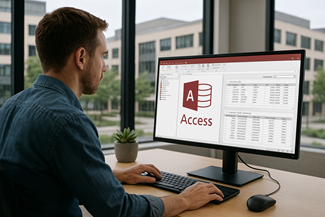
Avalon organizations often run important workflows in Microsoft Access because it is fast to build and easy to change. On Catalina Island that can include reservation and rental tracking, maintenance logs, compliance reporting, payroll exports, and internal dashboards. On busy summer weekends, ferry arrivals and cruise day traffic stack up, so the same Access file may get updated quickly by several people at once. The challenge is that the database usually grows quietly until one day the reports slow down, the file starts throwing errors, or two people can't work in it at the same time.
MS Access Solutions helps Avalon businesses and agencies get existing Access applications back into shape without forcing a disruptive rebuild. We fix forms and reports that no longer behave, tune slow queries, and reduce multi-user conflicts so people can work at the same time without lockups. Sometimes it is one person who “owns” the file and everyone else works around it. We fix that pattern. If the file is suffering from inconsistent imports or duplicated records, we clean up the data and put guardrails in place so the same problems do not return next month.
When growth pushes Access beyond its comfort zone, we can keep Access as the front end your staff already knows and move the tables to SQL Server for better speed and reliability. You get a clearer structure, safer backups, and room to expand, while day-to-day work stays familiar.
MS Access Solutions is led by Alison Balter, a Microsoft Certified Partner and Microsoft Certified Professional with 36+ years of hands-on Microsoft Access development experience. She has authored 15 Access training books and videos and is known for practical fixes that make real workflows run smoother.
For Avalon clients, we focus on stability first: clean table structure, predictable forms, faster reports, and a safer multi-user setup. You'll get clear priorities, safe backups, and improvements that fit how your staff actually works, whether you run operations on Catalina Island or coordinate with offices on the mainland.








Access continues to be a highly efficient tool for business database development.

How to create a Microsoft Access application with some useful tips and best practices.

Your Access developer near you has practical advice on choosing and working with an Access consultant.
Call MS Access Solutions at (323) 285-0939 for your FREE consultation.
Avalon is a special case. Work can bounce between the island and the mainland, the pace changes with the season, and connectivity is not always predictable. If an Access database is used for reservations, maintenance, inspections, inventory, or customer requests, “offline-ready” design keeps the work moving even when Wi-Fi is spotty or a laptop is on the go.
Here's a common Avalon scenario: reservations get updated on the mainland, someone on-island logs maintenance, and both sides need the same customer and asset data to stay consistent when changes come back in.
Most “sync” issues are actually data quality issues. Duplicate keys, missing required fields, and inconsistent lookups create conflicts when changes come back in. We usually fix this by tightening table relationships, adding the right unique indexes, and moving business rules into VBA so every data entry path behaves the same way.
If you want stronger reliability and easier remote access, we can keep Access as the interface and move the data to SQL Server or Azure SQL. That gives you enterprise-grade backups and security while preserving the screens your staff already knows.
Answer: Access is still a solid fit when the database is built cleanly and maintained. If your Avalon workflow needs fast forms, dependable reports, and automation without enterprise overhead, Access can deliver.
Answer: It can, but it needs a deliberate design. We define exactly what can be edited offline, stage those edits locally, then post them back with validation and clear conflict rules. For island-to-mainland work, we also add a simple sync screen that shows what succeeded, what failed, and what needs a quick review.
Answer: Almost always, the table is missing a true unique index, or the form is letting a double-save slip through.
Answer: Seasonal volume exposes every slow query and every chatty form. We start with the screens people touch all day: search, daily schedules, and the drop-downs that feed data entry. Index tuning and query rewrites usually deliver the biggest speed gains without changing how the database works.
Answer: Yes. Imports, exports, scheduled CSV pulls, and ODBC-linked tables are all on the table. The key is validation before anything lands in your core tables.
Answer: First, each person needs a local front end. Next, we shorten edit time by changing forms so they don't hold records open longer than necessary. If locking still shows up, we review record sources, subforms, and VBA transactions so updates finish quickly. In practice, this is often a handful of small fixes that add up to a big difference.
Answer: It usually means practical controls you can explain and enforce. A typical setup includes:
When the stakes are higher, moving tables to SQL Server or Azure SQL adds stronger authentication, automated backups, and monitoring.
Answer: If the file keeps growing, multiple users need to work at once, or you want stronger backups and auditing, SQL Server is usually the right next step. Access can stay as the front end, so the transition is often smoother than people expect.
Get more information about our programming services on the Microsoft Access Programmer Long Beach, California web page.