 Call (323) 285-0939 Call (323) 285-0939
Microsoft Access Programmer In Bellflower, California
Access Database Repair, VBA Automation, And SQL Server Migration
MS Access Solutions Brings 36+ Years Of Hands-On Microsoft Access Development Experience
If your Access database is slow, throwing errors, or locking up in multi-user work, we can get it running smoothly fast. We fix forms, reports, corruption, and the query/index issues that cause the slowdown.
In Bellflower, we often inherit Access files that started small and then grew through imports and spreadsheets. The first warning sign is usually a report that goes from seconds to minutes.
When the file has outgrown Access tables, we keep Access as the front end and move data to SQL Server for better speed and reliability. Call (323) 285-0939 for a free consultation and a clear plan.
Access Programmer In Bellflower, CA
MS Access Solutions
Microsoft Access
MS Access is a highly flexible, robust, and reliable database program. Microsoft Access is the leading relational database management system in the world. MS Access Solutions is your expert Microsoft Access programmer for Bellflower, California.
SQL Server
SQL Server is an enterprise relational database management system from Microsoft. We use SQL Server as the database server for data storage and data retrieval to and from Microsoft Access as well as other software applications,
like ASP.NET and Azure.
ASP.NET
Microsoft's application framework for web development produces dynamic web pages. ASP.NET provides web programmers with a platform for building dynamic websites, web applications (web apps), and web services that require a
web solution.
Microsoft Azure
MS Azure is Microsoft's cloud computing service. It is used for development, testing and deployment as well as managing software applications through a global network data centers managed by Microsoft. Azure now features SQL
Server called Azure SQL.
We Are Your Microsoft Access Database Experts
The Best Microsoft Access Database Solutions owner, consultant, and principal programmer is Alison Balter - a recognized expert Microsoft Access consultant. Alison is the author of 15 Microsoft Access training books and videos. She is a frequent guest speaker at MS Access conferences and has developed hundreds of applications for businesses of all types.
We know your business data is important; we listen to your concerns, ask questions, and gather information from all stakeholders. We discuss your needs and requirements for your database. We find out what you want, why you need various features so we can obtain as much information as possible. Once we have the information we need, we work with you to design the proper database architecture, plus the dashboards, the questions (queries), forms, and reports you need for an excellent database system.

Microsoft Applications For You
Your data is important to your business and you need both to enter and retrieve data rapidly. The data stored in your company's database must be clean, secure, and allow for maximum usage. Our Microsoft Access developer team will create
your Microsoft Access database for optimum efficiency with all the features you need. After we program your MS Access and SQL Server database you will have the capacity to manipulate your data so you get the information you need
for every day activities and for making critical business decisions.
We also create websites designed for speed to display your data accurately, using ASP.NET technology. Fast, secure, and robust, our ASP.NET websites and web applications give you a true business tool for finding and displaying information dynamically on the web.
Example Projects
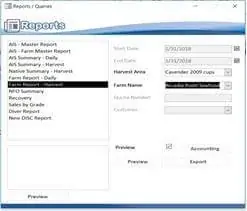
Corporate Database
Microsoft Access front-end and SQL Server back-end database

Access Forms Development
Access data entry form connecting to SQL Server back-end database

Accounting Company
ASP.NET website with SQL Server back-end database
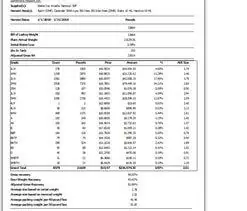
Corporate Reports
MS Access Report created with SQL Server database
Clients Love Our Work

Sheldon Bloch, Oil and Gas Company
Alison from MS Access Solutions has provided both training and mentoring services to us over the past several years. Our developers use Alison Balter's books on programming with Microsoft Access as a desk reference. They
have provided our staff members with much-needed training in Visual Basic, client/server development, SQL Server, and Microsoft Access. This has helped us to ensure that our employees can properly keep up with the ever-changing
technologies. MS Access Solutions has also provided our staff with mentoring on an as-needed basis, providing expertise that helped our in-house programmers to overcome various hurdles. More Reviews

Lisa Dosch, Motion Picture Editors Guild - Local 700
Alison Balter at MS Access Solutions developed the application
that helps us to properly service all of our members. This program handles billing, payments, tracking of jobs worked, available list, and other important data about our members.
The system automates many tasks that were previously performed manually, allowing our employees to more cost-effectively use their time. This client/server system is used by employees
in our Bellflower and New York offices. MS Access Solutions and their staff worked with us to develop the necessary specifications and design documents, and then programmed, tested,
and implemented the application throughout our organization.
More Reviews
Contact Details
When you need a truly expert Microsoft Access database development company to design and develop your mission critical custom database - Contact MS Access Solutions.
- Phone: +1 (323) 285-0939
- Office Hours: Mon - Fri : 8:00 AM to 5:00 PM
Get In Touch





Frequently Asked Questions About Access Forms And Macros In Bellflower
Question: Why Do Some Access Forms Open Slowly, Even On A Fast PC?
Answer: Most of the time it comes down to the form's RecordSource and what happens on load. A form that pulls a wide table, runs calculated fields, or triggers requery calls can feel slow even on new hardware. We usually start by trimming the query, indexing the join fields, and confirming the form is only loading the records the user actually needs.
Question: Should A Form Be Bound To A Table, Or Should It Use Queries Only?
Answer: A bound form is fine, but binding directly to a big table often invites trouble. In practice, a query-based RecordSource gives you better control: you can limit columns, filter early, and keep the UI responsive. For Bellflower users with larger datasets, that one change can be the difference between a form that feels snappy and one that drags.
Question: Why Do Subforms Cause Weird Duplicates Or Missing Records?
Answer: Subform issues usually trace back to Link Master Fields / Link Child Fields, or a query that is not uniquely keyed. When Access can't identify a unique record, updates can behave unpredictably. We fix this by validating relationships, adding a proper primary key where needed, and making sure each subform query returns one row per record.
Question: We Use A Lot Of Macros. Is That A Problem?
Answer: Not automatically. Macros are great for straightforward navigation, opening forms, and simple validation. The problems start when a stack of macros becomes the application's main logic, especially when there's no error handling or consistent naming. We can document what you have, clean up the macro flow, and convert the right pieces to VBA where it makes the system easier to maintain.
Question: Can You Convert Macros To VBA Without Breaking The App?
Answer: Yes, if it's done carefully. We don't convert everything just because we can. We look for hotspots: macros that run on every click, macros that touch data, or macros that silently fail. Then we replace them with VBA that includes clear error handling, logging when appropriate, and the same user experience you already rely on.
Question: Why Do Buttons On My Form Sometimes Stop Working After A Change?
Answer: Common causes include broken macro names, missing referenced objects, or event properties that were reset during an import or a compact/repair cycle. Another frequent culprit is multiple versions of the front end floating around, so the button you are clicking is pointing at code that is not the latest. The fix is usually part cleanup, part deployment: one known-good front end per user, plus a quick review of event bindings.
Question: What Are Data Macros, And Do They Replace VBA?
Answer: Data macros run at the table level and can enforce certain rules when records are inserted, updated, or deleted. They are useful for a few specific scenarios, but they do not replace VBA. If you need rich form behavior, conditional UI, integrations, or detailed validation messages, VBA is still the practical tool. We can use both together when it makes sense.
Question: When Should We Stop Adding More Forms And Start Thinking About SQL Server?
Answer: The signal is usually not the number of forms. It's the data volume, the number of concurrent users, and how often you see locking conflicts or long waits on saves. A common pattern we hear from Bellflower owners is, "It worked fine last year, and now everyone is complaining." In that case, keeping Access as the front end while moving tables to SQL Server can improve reliability without forcing a rebuild of your screens.
MS Access Solutions Bellflower, California Service Area Map
Get more information about our programming services on the Microsoft Access programmer Beverly Hill, California web page.