

MS Access As A Dev Tool
Access continues to be a highly efficient tool for business database development.
 Call (323) 285-0939
 Seeing #Error values, broken buttons, or a database that slows down the moment two people open it? We'll reproduce the problem, fix the root cause, and make your forms, reports, and imports behave again. If the file has outgrown Access tables, we can keep your Access screens and move the data to SQL Server for better speed and stability.
In Baldwin Park, we often see Access used as the hub for scheduling, job tracking, inspections, inventory, and billing. The pain usually shows up the same way: one report takes five minutes, then ten, then nobody wants to touch it. We tune queries, clean up joins, tighten up imports, and rebuild the parts that make the file feel fragile.
If your database has outgrown a single Access file, we can keep Access as the familiar front end and move the tables to SQL Server for better speed, reliability, and multi-user stability. Call (323) 285-0939 for a free consultation and a clear plan.
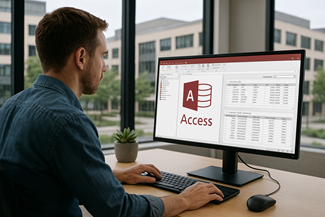
Baldwin Park businesses use Microsoft Access to run scheduling, inventory, quoting, compliance tracking, and internal reporting. When the database starts drifting, people feel it fast: searches slow down, reports return blanks, and users start working around the system. We help you get back to a clean, dependable workflow. That can mean tuning queries and indexes, fixing relationships, rebuilding a brittle form, or putting a safer multi-user deployment in place so the front end stops breaking.
The Best Microsoft Access Database Solutions owner, consultant, and principal programmer is Alison Balter – a recognized expert Microsoft Access consultant. Alison is the author of 15 Microsoft Access training books and videos. She is a frequent guest speaker at MS Access conferences and has developed hundreds of applications for businesses of all types.
We know your business data is important. We isten to your concerns, ask clarifying questions, and gather input from the people who use the system every day. Together we define what you need from your database, why certain features matter, and how staff actually works. From there we design the right table structure, queries, forms, dashboards, and reports so you get a stable system that supports real-world decision making.

At MS Access Solutions, its all about Microsoft Access - our ONLY focus. No handing you off to some contractor who's just in it for a paycheck, or shuffling you between departments like a hot potato. No way, you get to work with our top-notch senior programmers from Day 1 of that initial discovery call all the way through design, development, and long term support. They get to know your database inside & out, figure out how your team is really using it, and stick with you as you grow.
We build, repair & improve Microsoft Access applications for businesses in Baldwin Park and all over California. Sometimes that means keeping the Access front end your staff already loves - but taking the data and moving it to SQL Server for speed & reliability. We did this for a professional services firm that was stuck in a nightmare of spreadsheets. We set 'em up with a single job tracking system, & suddenly data entry was a breeze, deadlines were clear as day & those weekly progress reports stopped being a panic fest.
When you need to get online, we design ASP.NET apps that connect directly to SQL Server. Your staff can check in & update records from anywhere - whether they're at the office, at home or out in the field. No more emailing spreadsheets around like it's going out of style. Our role-based logins & permissions keep sensitive info safe, but still make sure the right people can get the information they need.
Our clients choose us because we only do one thing -Microsoft Access solutions that are actually practical, easy to maintain & built with everyday use in mind. Our goal is to help your business run smoother, give you better reporting & some breathing room to grow - all without forcing you into some generic platform or a full-on system rewrite.







Access continues to be a highly efficient tool for business database development.

How to create a Microsoft Access application with some useful tips and best practices.

Your Access developer near you has practical advice on choosing and working with an Access consultant.
Call MS Access Solutions at (323) 285-0939 for your FREE consultation.
Most multi-user headaches come from the same pattern: everyone opens the same front end from a shared drive, then Access fights itself over locks, writes, and temporary objects. The fix is usually not complicated, but it does need to be done cleanly.
If you're seeing random lockups, “could not update” messages, or recurring corruption prompts, we'll test your real workflow (including the edge cases) and fix what's causing the conflicts.
Imports are where data quality goes sideways. A vendor adds a column, a date arrives as text, or someone renames a header and the routine starts quietly mis-typing values. A good import process should tell you what changed and why.
If your Baldwin Park Access database has become a daily source of frustration, we can review what you have and recommend the quickest, safest fix path.
Answer: The answer is a solid yes. We work with older .mdb files and newer .accdb databases, and we troubleshoot the quirks that show up after Microsoft 365 updates. That includes broken references, missing ActiveX controls, and VBA declarations that need to be updated for 64-bit Office. In many cases the database opens, but a button stops working, printing fails, or an export throws a runtime error because a library is registered differently. We track down the dependency, fix it cleanly, and document the change so it does not surprise you again.
If you are running a mixed setup (some on 2016/2019 and others on 365), we can package the right front end for each environment so you stop chasing “it works on my machine” problems.
Answer: Yes, in many cases. We start by protecting your data, then we identify what is actually damaged. Corruption can come from network drops, a shared front end, antivirus interference, or compact/repair being run on the wrong file.
We isolate the failure point (tables, indexes, forms, reports, or code modules). If the issue only appears after a power flicker or a large import, we reproduce that scenario so we are not guessing. After the repair, we verify integrity and adjust deployment so the same problem is less likely to return.
Answer: We keep the process straightforward. We start with a short call to define what is failing and what “working again” looks like. Then we review a copy of the database (or a safe subset) and reproduce the issue in a controlled environment.
You get a prioritized fix list: what must be addressed now, what we recommend next, and what can wait. Before anything goes live, we test in a staging copy and provide clear rollout steps. If needed, we can work with sanitized data and screen recordings so sensitive information stays under your control.
Answer: Access is still a strong front end when you need custom forms and flexible reporting. The decision usually comes down to user count, security needs, and data growth.
A common path is to keep the Access interface and move the tables to SQL Server. You get better stability, stronger permissions, and easier backups, without forcing everyone to learn a new UI. We can also size the change so you keep what already works, and only modernize what is holding you back.
Answer: Yes. We build import routines that validate columns, normalize data types, and prevent duplicates before the data lands in production tables. The goal is to catch bad data at the source.
A strong import process often includes staging tables, required-field checks, and an import log that shows exactly what changed. Since source files change often, we add safeguards so the routine alerts you instead of creating a silent mess.
Answer: Yes. We document what people actually use day to day: what each form does, the meaning of key fields, and the business rules behind calculations and reports. For technical continuity, we also document table relationships, query dependencies, and any special VBA logic.
Training can be a quick walkthrough for end users, or a deeper session for in-house staff who will maintain the database. We also call out what not to change and where the data is coming from, which helps prevent well-meaning “quick fixes” that create bigger problems later.
Answer: A copy of the database (or a safe subset), your Access version (including 32-bit vs 64-bit), and a short description of the problem. Screenshots or a quick screencast help us troubleshoot faster.
If your database uses a shared back end or SQL Server, we may ask for connection details and a test login with limited permissions so we can verify the behavior we are seeing without touching production data.
Get more information about our programming services on the Microsoft Access programmer Bell Gardens, California web page.