

MS Access As A Dev Tool
Access continues to be a highly efficient tool for business database development.
 Call (323) 285-0939
 You know how small problems can quickly turn into major headaches when they come up in the Access database where you do all your scheduling, purchasing or compliance tracking? We come in to patch up broken forms, get those imports back on track and sort through all the data to make sure your database behaves like a well-oiled machine. In Cerritos especially, getting multi-user stability just right can be the next big challenge. We help by splitting up the front and back end, tightening up those file permissions and giving your queries a tune up so your data loads fast and saves reliably. Screens open in a snap and even the not-so-tech-savvy can still get the job done easily.
And if you're ready for a rock-solid back end, we can still keep Access something you're familiar with - just move those tables over to SQL Server and you'll see the peace of mind that comes with a super-sturdy system. Want to get started on this? Ring us up at (323) 285-0939 to schedule a completely free consultation.
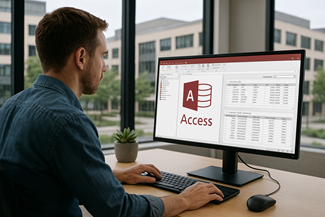
If your Microsoft Access database runs daily work, it should feel steady. In Cerritos, we see Access used for quoting, job tracking, inventory, training logs, and internal reporting. A common pattern is a month-end report that takes about 4 minutes and sometimes freezes; after query and index tuning, it can drop to under 20 seconds.
Our Microsoft Access programmer services start with diagnosis: how the database is split, where data lives, and what users do all day. We fix broken forms and VBA errors, tighten validation, and clean up table design so edits do not ripple into wrong totals. Then we test with real workflows, not demo data.
When you need room to grow, we can keep Access as the familiar front end and upsize the data to SQL Server for better multi-user stability. That usually reduces record locking and makes backups safer. Call (323) 285-0939 to talk it through.
Alison Balter is the founder, owner, and primary programmer for MS Access Solutions. She is a Microsoft Certified Partner and Microsoft Certified Professional, and she has written 15+ books on Microsoft Access. Clients call when the database is business-critical and needs careful, experienced work.
For Cerritos organizations, that usually means cleaning up table design, tightening forms and validation, repairing VBA automation, and setting up a safer multi-user layout. When SQL Server is the right next step, we plan the upsizing in stages so your reporting and workflows stay intact. That's common here when Access is supporting purchasing, inventory, and compliance tracking alongside day-to-day reporting.








Access continues to be a highly efficient tool for business database development.

How to create a Microsoft Access application with some useful tips and best practices.

Your Access developer near you has practical advice on choosing and working with an Access consultant.
Call MS Access Solutions at (323) 285-0939 for a complimentary consultation. If your database is acting “almost right,” we can usually tell you fast whether this is a repair, a refactor, or a smarter layout.
In Cerritos, Access often sits in the middle of daily operations: quotes, purchasing, inventory, scheduling, compliance logs, and internal reporting. When one piece drifts, the whole workflow starts to feel unreliable.
Answer: If the file opens and runs, but people are working around it (retyping values, keeping side spreadsheets, avoiding certain buttons), you usually have a table, validation, or query-design issue. We start by checking relationships, key fields, required rules, and how forms write to tables. Most “redesign” situations are really a cleanup and alignment job.
Answer: The most common cause is a shared front end on a network folder. That setup invites version drift, record locks, and random behavior. The fix is typically a split database (front end on each PC, back end in one location), plus targeted edits to forms and queries so users are not editing the same records in the same way at the same time.
Answer: Yes. A practical path is to keep Access as the familiar front end while moving tables to SQL Server. You keep forms, reports, and VBA where it makes sense, then tighten the slow spots with indexes, pass-through queries, and better filtering. We also watch for “quiet” problems that look like performance issues but are really bad joins, missing keys, or overly chatty forms.
Answer: Microsoft uses “Microsoft Access 2024” as a product name, and many installs receive updates through Microsoft 365. The key issue is not the label, it is change control. Updates can expose older VBA patterns, ActiveX controls, or reference mismatches. We reduce surprises by testing on a copy, confirming references, and rolling changes out in a controlled way so everyone is running the same front end.
Answer: If possible, have the exact error message, the steps that trigger it, and a copy of the front end file (and back end if you have it). Also tell us what changed recently: an import, a new field, a Windows update, a new workstation, or a “quick fix” someone tried. A short screen-share is usually enough to identify whether this is data integrity, forms/reports, VBA automation, or back-end architecture.
Get more information about our programming services on the Microsoft Access programmer Claremont, CA web page.
MS Access Solutions develops and supports advanced Microsoft Access and SQL Server database systems for businesses that rely on efficient, accurate data operations. Our work includes: designing scalable data solutions, integrating Access with SQL Server, optimizing data structures, and creating interfaces that support daily business processes.
The following is a list of our most common projects:
We regularly work with Access macros and Visual Basic for Applications (VBA) to automate repetitive tasks, streamline data entry, and ensure your application supports your business goals. We update legacy code, improve logic behind data processes, and refine user interactions inside your Access application.
We support both new Access development and upgrades to existing systems. Whether your needs involve connecting multiple databases, syncing with external data, or cleaning up old file structures, we bring years of focused experience to deliver dependable results.
Here's a list of routine procedures every Microsoft Access programmer should perform. We offer all these tasks as part of our ongoing campaigns for our clients.
Call MS Access Solutions at (323) 285-0939 for the expert Microsoft Access programmer for your Cerritos, California business.
Answer: Yes. That's a common modernization path. We keep your existing Access forms and reports, then link them to SQL Server tables so you get stronger backups, better concurrency, and room to grow without changing how your staff works day to day.
We start by reviewing table design, keys, and indexes, then move the data in phases. If you have six people in Cerritos opening the same order form at once, we test that workflow first. You keep the Access interface, but the data layer stops being the weak point.
Answer: Most “random” errors turn out to be setup issues. The usual culprits are a database that was never split, a front end stored on a shared drive, flaky network paths, or mismatched references after someone installed a different Office build.
When we fix it, the symptoms usually disappear fast: the form that freezes on Save, the report that prints blank pages, or the “record is locked” message that shows up for no reason. We split the file, give each user a local front end, and add a lightweight version check so everyone is running the same build.
Answer: We don't import straight into your live tables. We load Excel into a staging table first, clean the columns (dates, leading zeros, extra spaces), and then match on the fields that actually identify a record, like CustomerID plus InvoiceDate.
If anything looks questionable, we show it in a simple review screen so you can approve or reject rows before they become real records. Then we run an update/append process with clear keys and a unique index where it belongs. The result is repeatable imports without the slow creep of near-duplicates.
Answer: We use a small launcher or startup check that copies the latest front end to the user's PC before Access opens. It takes the guesswork out of updates, and it prevents someone from running an old copy from an email attachment or a random desktop folder.
Once that's in place, support gets easier. When everyone is on the same version, we can reproduce issues quickly and push a fix without chasing down “which file are you using?” In a busy Cerritos office, that alone saves a lot of time.
Get more information about our programming services on the Microsoft Access programmer Claremont, CA web page.