

MS Access As A Dev Tool
Access continues to be a highly efficient tool for business database development.
 Call (323) 285-0939
 A lot of Access headaches in small offices start before Access even opens. Files get copied to laptops, two versions drift apart, and nobody is sure which numbers are current. We help you bring scattered spreadsheets and "shadow" databases back into one reliable system, with clean tables, consistent data entry rules, and reports you can trust.
In Hawaiian Gardens, we often see Access used to track jobs, inventory, and billing across a few people who all wear multiple hats. If you need tighter user permissions, an audit trail for edits, or automatic imports from Excel, CSV, or accounting tools, we can build that in without making the database harder to use. Call (323) 285-0939 for a free consultation and a clear plan.
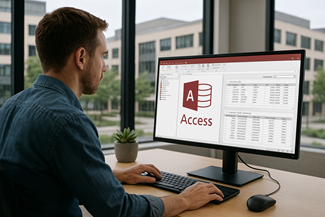
Hawaiian Gardens organizations run on tight schedules. When your Microsoft Access database starts slowing down, it usually shows up as small delays that turn into real bottlenecks. A form that used to open instantly now takes ten seconds. A report works for one person, but fails when the second user logs in. People start keeping side spreadsheets “just in case,” and suddenly the data no longer matches.
We help local businesses get control of that slide. In this area we often see Access used for dispatch and job tracking, simple inventory, customer billing, and compliance logs.
We repair broken forms and reports, clean up tables that have drifted over the years, and tune queries and indexes so daily work stops feeling fragile. If you have a shared file on a network drive, we split the database correctly and give each workstation a local front end so multi-user conflicts drop fast.
If your workflow includes more than one location or remote staff, we also plan for the reality of latency and concurrent edits. That can mean tightening record locking behavior, adding lightweight audit fields, and moving high-traffic tables to SQL Server or Azure SQL while keeping Access as the front end. You get a practical plan, prioritized fixes, and improvements you can measure right away.
Alison Balter is the founder, owner, and primary programmer for MS Access Solutions. She has built, repaired, and upgraded Microsoft Access systems for more than 25 years. She is also a Microsoft Certified Partner and Microsoft Certified Professional. Learn more about Alison Balter.
If your database runs scheduling, job tracking, inventory, or billing, you can't afford “it works on my computer” fixes. We start by watching the workflow you actually use. Who enters the data, who reviews it, and who needs the report at the end of the day. Then we work backwards into the tables, queries, and VBA that control speed and stability.
In Hawaiian Gardens, it is common to have a small office plus people working across multiple locations or on the road. That is when locking, duplicates, and slow forms show up fast.
We clean up the design, tighten validation, and tune queries so edits save quickly. If the Access back end has outgrown the job, we can keep your familiar Access front end and move the tables to SQL Server for better multi-user reliability.








Access continues to be a highly efficient tool for business database development.

How to create a Microsoft Access application with some useful tips and best practices.

Your Access developer near you has practical advice on choosing and working with an Access consultant.
Call MS Access Solutions at (323) 285-0939 for a FREE consultation.
When an Access database starts feeling unreliable, the symptoms usually follow a pattern: screens open slower, users see more “record is locked” messages, and reports that used to run fast begin timing out. Instead of guessing, we run a short technical check that pinpoints where the time is being spent and where conflicts are being created. Example: a front desk user enters orders, a back office user posts invoices, and a manager reviews exceptions from a laptop.
In Hawaiian Gardens, we often see Access supporting scheduling, job tracking, inventory, and billing. Those workflows typically involve two or more people touching the same tables across the day, plus spreadsheet imports that change without warning.
If staff are opening the same front-end file from a shared folder, performance and stability suffer. We split the database correctly, place the tables in a back end, and distribute a local front end to each workstation. This reduces corruption risk and prevents one user's session from slowing down everyone else.
Most “slow Access” issues come from queries that scan too much data. We look for missing indexes, mismatched data types in joins, and forms that load years of history just to show today's work. Then we tune the queries and limit recordsets so forms open quickly and edits save without pauses.
A common pattern is a dispatcher updating schedules while another person is posting invoices and a manager is running end-of-day reports. If all three screens write to the same rows, locks spike. We redesign the workflow so users work in smaller filtered slices, add status timestamps, and move heavy calculations out of the live form. The result is fewer conflicts and faster reporting.
Excel and vendor imports break when a column name changes, a date format shifts, or someone adds notes in a numeric field. We build import routines that validate the expected columns, log exceptions, and isolate questionable rows before they touch production tables. That keeps your reports from breaking because one spreadsheet changed.
If staff work from multiple locations or from home, the Access back end can become fragile. A practical upgrade is keeping Access as the front end and moving tables to SQL Server or Azure SQL for better concurrency and safer backups. We can do this in phases so daily operations keep running.
You don't need a full rebuild to get stability back. We focus on the objects that control speed and reliability: tables, indexes, queries, forms, reports, and VBA. You get a clear plan, measurable fixes, and a database your staff can trust again.
Answer: Most slowdowns come from a few fixable issues: missing indexes, heavy queries running on every form load, and a front-end that is doing too much at once. In Hawaiian Gardens we often see shared files on a network drive with multiple people opening the same screens. We tune queries, add the right indexes, split the database properly, and reduce unnecessary recalculation so forms and reports load quickly.
Answer: Yes. This is a practical way to keep the familiar Access interface while improving reliability and multi-user performance. We upsize the tables to SQL Server or Azure SQL, relink them in Access, and then adjust queries and VBA so your reports and forms continue to behave the way your staff expects. We can move the busiest tables first, then migrate the rest in phases so daily work keeps moving. You also gain stronger backups and more control over logins and permissions when your data lives in SQL.
Answer: We find where edits collide, then redesign the workflow: smaller filtered recordsets, better key design, and clear edit patterns. We also confirm your database is properly split so each user has a local front end, which reduces conflicts and corruption risk.
Answer: When locking is tied to one or two screens, we adjust the form record source and save behavior so users are not fighting over the same rows. If staff move between locations around the Gateway Cities area, we plan for VPN and remote latency so locks don't spike during busy periods.
Answer: Yes. We build import routines that validate columns, enforce data types, and log exceptions instead of letting bad rows slip into production tables. When vendors or field staff send spreadsheets that change format, we import into a staging table first, then normalize the data into your real tables. That way your reports don't fail because one header name shifted, a date came through as text, or a column was added at the last minute.
Answer: A solid plan includes automated backups of both the front-end file and the data, plus a quick restore test on a schedule. If you stay on Access tables, we confirm the backup opens cleanly and run a compact/repair check on the copy. We also recommend keeping multiple dated versions so you can roll back if an import or edit goes sideways. If you move to SQL Server or Azure SQL, backups are more reliable, restores are easier to verify, and you can add point-in-time recovery options.
Answer: Yes. We review references, controls, and any API calls that can break during an upgrade. Then we test on a copy of your system and update VBA where needed so the application runs consistently for everyone.
Get more information about our programming services on the Microsoft Access programmer El Monte, CA web page.