

MS Access As A Dev Tool
Access continues to be a highly efficient tool for business database development.
When Access starts dragging, people notice right away - slow reports, random prompts, and screens that hang when two users are in at once. We find the cause and get it running smoothly.
El Monte offices use Access for scheduling, parts lists, and invoice reports. We tune queries, fix broken links, and clean up VBA so updates stop breaking.
Outgrowing one file? We can move tables to SQL Server and keep Access as the front end. Call (323) 285-0939.
Most Access systems we see in El Monte did not start out as a "database project" - they started as a quick tool that kept getting used because it worked. When that tool becomes the system, little problems stack up: slow reports, odd errors, and button clicks that don't do what they used to. MS Access Solutions is run by Alison Balter, a Microsoft Certified Partner and Microsoft Certified Professional and author of 15 Access] programmer training books.
If you are in El Monte and your database is slow, throwing odd errors, or locking up when more than one person is working, we can help without forcing a rebuild. We've seen Access files passed around between El Monte offices and nearby LA locations, and that's where version conflicts and broken references usually start. We repair forms and reports, clean up messy tables, and replace brittle macros with VBA that is easier to maintain.
Our work is practical: we start with a safe copy, check split database setup, run compact/repair where it's appropriate, and review linked tables and ODBC connections. You'll get clear next steps, and if SQL Server makes sense, we can plan an upsizing path that keeps Access as the familiar front end.

This is the situation that shows up a lot: the Access file started as a quick tool, it worked, and then it quietly became the system. After that, every new request adds one more macro, one more query, or one more table change. Nobody notices the cost until a report starts taking a minute, buttons begin "skipping" steps, or two users collide and the database hangs.
When macros are the issue, the problem is usually a chain of triggers that nobody can trace anymore. A button opens a form, the form runs a macro on load, another macro fires on update, and then an action query changes rows behind the scenes. One small edit can break three screens. We map the flow, remove duplicated actions, add basic error handling, and convert only the fragile parts to clean VBA when that is the safer route.
When tables and queries are the bottleneck, we look for missing primary keys, dates stored as text, weak indexing, and query criteria that force full scans. We tune joins and filters so indexes can be used, and we test against real edge cases, not ideal data. If you have multiple people using Access, we also confirm a split front end/back end setup with local front ends. That single deployment fix often reduces locking and corruption risk immediately. If growth demands it, we can move tables to SQL Server while keeping Access as the familiar front end.

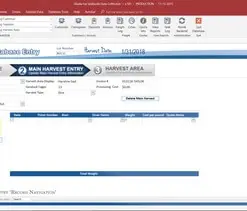

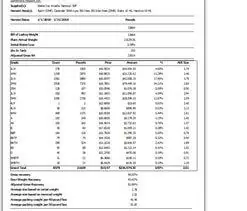







Access continues to be a highly efficient tool for business database development.
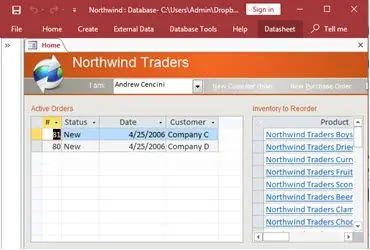
How to create a Microsoft Access application with some unique tips and tricks.
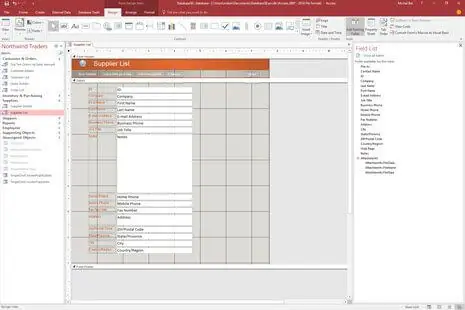
Your Access developer near me has some great info for you about using Access efficiently.
Call MS Access Solutions at (323) 285-0939 for your FREE consultation.
When an Access database starts acting up, the symptoms look different - but the root causes are usually familiar. Buttons stop working, imports fail, reports take forever, or people start seeing random lock messages. Most of the time, the issue is not "Access is bad." it's a handful of fragile spots that grew over time.
Macros are great until they turn into a chain nobody can trace. A button runs a macro, the macro opens a form, the form triggers another macro, and then an update query fires when a control changes. One small tweak can break three screens. We map the flow, remove duplicated steps, add basic error checks, and replace only the fragile parts with clean VBA when that is the safer path.
A lot of problems start in the table layer: missing primary keys, dates stored as text, repeated fields, and lookup values saved in the wrong place. Those issues can make queries slow and multi-user edits feel unpredictable. We fix keys and indexes, correct data types, and remove duplicates safely - while keeping your forms and reports working. If the database is split, we also review linked tables and deployment so each user is running a local front end.
Slow reports often trace back to query patterns that force full scans: criteria wrapped in functions, calculations inside joins, wildcard searches that cannot use indexes, or nested queries that repeat work. We tune queries so indexes can be used, filter early, and validate results against real-world edge cases. A good tune-up can cut report time from minutes to seconds without changing how people use the screens.
If you have multiple people using the database, don't share one front-end file on a network drive. Each person should have their own local copy of the front end, linked to a shared back end. That single change often reduces locking and "not responding" moments immediately.
Answer:Do it when the spreadsheet has become the system. When the file gets big, people are emailing versions around, and one wrong sort or paste can throw off totals, Access starts to make sense.
Some practical triggers we look for: the workbook is slow to open, it crashes now and then, it's getting close to (or over) 50 MB, or you are pushing past 100,000 rows. Another big one is when you need more than one person updating the same data at the same time and you don't want to gamble on version conflicts.
Access also becomes the better tool when your data has real relationships: customers, orders, products, invoices, schedules. If you're maintaining separate sheets and then cross-referencing them by hand, that is time you won't get back. In Access, properly designed tables and relationships handle that work for you.
Most conversions are straightforward: we import the Excel data, clean up duplicates and inconsistent fields, build a few forms for entry, and rewrite the key calculations as queries and reports. You should notice the difference fast, but we also make sure the database is structured so it stays reliable as you add more data.
Answer:The 2 GB limit is real, and you usually feel it before you hit it. Around 1.5 GB, performance can start sliding: slower queries, longer load times, and a higher chance of corruption if the file is being hit hard.
The good news is you don't have to throw away your Access front end. A common solution is to move the tables to SQL Server and keep Access for forms, reports, and the interface your staff already knows. This is the "upsizing" path. It removes the file size ceiling and gives you better multi-user stability.
There are smaller steps too. Splitting the database and fixing deployment (a local front end per user) can buy you time. Archiving older records can also help, but it can make reporting messier if it's not planned carefully.
When upsizing is the right call, we migrate tables, update links, test queries and reports, and validate the edge cases that usually break first (date filters, totals, and exports). The goal is simple: more headroom, fewer lockups, and the same day-to-day screens.
Answer:First, we stop the damage from getting worse. If a database is corrupted, repeated open attempts and "quick fixes" can make recovery harder. The safest move is to copy the file, work from the copy, and confirm backups before we touch anything.
We start with Microsoft's built-in Compact and Repair, because it can fix minor issues quickly. If that fails, we move to deeper recovery steps: exporting salvageable tables, rebuilding relationships, and reconstructing forms/reports from the recovered data.
For severe corruption, the work becomes more manual. Sometimes we can pull data even when the file won't open normally, then rebuild the database into a clean container. That takes longer, but it's often the difference between "we lost everything" and "we are back in business."
Once the system is stable again, we focus on prevention: split design, correct deployment (local front ends), solid backup routines, and the small habits that reduce risk, like proper shutdown and avoiding flaky network paths. If you want, we can also set up automated backups so you are not relying on someone remembering to do it.
If you need help with an Access database in El Monte, call (323) 285-0939 and tell us what is happening. Slow reports, broken buttons, odd errors, and multi-user locking are all fixable, and you don't have to start over to get results.
We work on real-world Access systems that grew over time: scheduling, inventory, billing, internal reporting, and the "one file everybody depends on." The work is usually practical: tune a few queries, correct table structure, clean up VBA, and get the front end deployed correctly so multiple people can use it without chaos.
Here are a few ways we typically help:
When we take a project on, we explain what we are changing and why. You will know what is being fixed, what is being improved, and what the next steps are if the database needs a bigger back end later.
Get more information about our Access programmer services on the Access Programmer web page.
Get more information about our programming services on the Microsoft Access Programmer Gardena, California web page.