

Access As A Dev Tool
Access continues to be a highly efficient tool for business database development.
 Call (323) 285-0939
 If your Access file is slowing down, throwing random prompts, or acting differently for each person, we can get it back under control. We start by finding the real bottleneck. Often a heavy query feeding a form, stale linked tables, or a shared front end that should be local.
From there we clean up VBA so imports, exports, and button clicks behave the same way every time. If the data or user count is pushing past what one file can handle, we can keep your familiar Access screens and move the tables to SQL Server for steadier multi-user performance. Call (323) 285-0939 and tell us what's happening. We'll point you in the right direction.
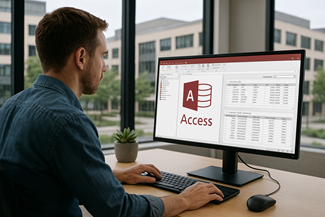
South Bay organizations still lean on Access for a simple reason: it gets real work done. We've seen Access files passed around between offices on the Palos Verdes Peninsula and down the hill in Torrance. We see it used for scheduling, job tracking, inspection logs, and reporting that needs to be changed quickly without a long software project.
When an Access file starts stalling, throwing errors, or behaving differently for each person, the disruption spreads fast. People create side spreadsheets, export to CSV "just for today," and pretty soon you have multiple versions of the truth. We help you pull that back into one place and make the database behave predictably again.
Our work usually starts with a practical review of the objects that are slowing you down: the queries behind a report, the form that hangs on open, the import routine that fails on Tuesdays, or the VBA module that has grown fragile over the years. You get clear priorities and fixes that fit real deadlines, not a pitch for a full rebuild.
The owner and principal programmer at our Access programming service is Alison Balter. Alison is a Microsoft Certified Partner and Microsoft Certified Professional, and she is also the author of 15 Access books and training resources. We've worked with plenty of the Peninsula setups where a laptop, Wi‑Fi, and a VPN are part of daily use, so stability matters. If you need someone who can step into an existing database, make sense of it quickly, and improve it without drama, that is the kind of work we do every day.
We focus on the parts that make an Access application usable in the real world: solid table design, forms that guide clean data entry, reports that run fast, and VBA automation that does not break when a file path or user changes. We ask straightforward questions, get input from the people who use the database, and then build fixes around how the work actually happens.
For Rolling Hills Estates and the Palos Verdes Peninsula, we usually start with stability and performance. Then we clean up the spots that cause recurring trouble: split database setup, link management, compact-and-repair routines, and query tuning. When growth demands it, we move the tables to SQL Server and keep Access as the user interface, so the system gets stronger without forcing staff to learn a brand-new workflow.








Access continues to be a highly efficient tool for business database development.

How to create a Access application with some useful tips and best practices.

More about Access programmer services for Rolling Hills Estates businesses.
Want a rapid analysis of your Access database? Call (323) 285-0939 for a FREE consultation, and we'll tell you what we'd fix first.
When an Access database "works fine for one person" but falls apart for several, the cause is often simple: everyone is opening the same front-end file from a shared folder. If your people are saying 'it worked yesterday,' that detail matters more than it sounds. Honestly, this is one of those problems that feels random until you see the pattern. That setup invites corruption, locking conflicts, and those random moments where the file suddenly feels unstable for no clear reason.
The practical fix is to split the database and give each user a local copy of the front end. The shared data stays in the data file, but forms, reports, and VBA run locally. In real offices, that change alone often cuts down freezes and duplicate-click issues because Access is not trying to execute the user interface across the network.
Access uses a locking file behind the scenes, and network timing matters. If a connection blips or a laptop sleeps at the wrong moment, the shared interface file can end up half-written. That is when you start seeing errors that come and go, missing references, or a form that suddenly refuses to open until you copy the file somewhere else.
We see this a lot when staff are moving between locations, working over VPN, or opening the database from synced folders. In Rolling Hills Estates, it is common for a small office to have a mix of desktops and laptops, and that mix makes a shared file people open even riskier.
A local the front end staff use does not mean manual installs forever. We typically add a simple updater that checks a "master" copy and pulls down a new version when you publish changes. If you prefer an ACCDE for compiled VBA, we can ship that too, with the right bitness (32 or 64) so declarations and references do not break.
If you already have good the front end distribution and the database still slows down under load, that is usually a sign the data belongs in SQL Server. In that setup, Access remains the familiar interface, but SQL Server handles bigger tables, higher concurrency, and backups that do not depend on a file sitting on a share.
If you call us, grab a screenshot of the exact error, note your Access version and 32/64‑bit, and tell us how many people are in the file at once. That small context usually points us to the right fix fast.
Before you chase a "mystery bug," check the simple stuff first. It sounds obvious, but it saves a lot of time, especially when multiple people are involved.
Our database support focuses on fixes that support real work. We look at how your database is used day to day, then make changes that improve speed,stability, and your confidence in your database.
Answer: Yes. Access still has a place for internal business systems when you need fast forms, flexible reports, and a database you control. In the South Bay, we still see it running job tracking, scheduling, compliance logs, and inventory lists. The key is keeping the design clean, making sure each person opens the right interface file, and structuring tables so growth doesn't drag performance down.
Answer: That usually comes down to how the file is being shared. If people are opening the same front end from a network folder, Access ends up fighting network timing and lock files, and it can look like the database is "randomly" misbehaving. The steady fix is a split setup with a local copy of the interface for each person, plus a simple update method so people stay on the same version. If you're on the Peninsula and people jump between office and home over VPN, that detail matters even more. Sound familiar?
Answer: If the file is getting bigger, slower, or you start seeing prompts you never saw before, that's an early warning. One tell is a report that takes 20 seconds one day and two minutes the next, with no clear reason. When that starts happening, we check indexing, compact/repair behavior, and whether the data should move to SQL Server while you keep your Access screens.
Answer: Usually, yes — and we don't start with a rewrite. We target the one or two objects that are actually causing the pain, then work outward. One quick story: we've seen a form that felt "broken" simply because it loaded 40,000 rows on open; limiting the record source to the current week made it snappy again. From there we tune indexes, simplify joins, and make sure linked tables and ODBC settings aren't forcing Access to do extra work across the network.
Answer: Most of the time, no. People keep using the same Access forms and reports, because Access stays as the user interface and SQL Server just stores the data and handles the heavy work. Honestly, the biggest change is behind the scenes: connections, permissions, and backups that aren't tied to a single file share. We test it with real day-to-day tasks (data entry, printing, exports) so it feels familiar on Monday morning. Want a new login screen or a cleaner audit trail? That's usually easier once SQL Server is in place.
Answer: Yep. If you want a one-and-done fix, we can do that. If you want someone you can call when a report needs a tweak, we'll stay available for that too. A quick follow-up after the first repair is common, just to confirm everyone can open, print, and move on with their day.
Answer: If more than one person uses it, split it. Shared front ends cause trouble.
Answer: Start with the exact error message, what you clicked right before it happened, and whether it hits everyone or only one person. If someone says, "it only breaks on one laptop," that's a clue — it often points to a missing reference or a 32/64-bit mismatch. Also tell us your Access version, whether the file is split, and where the back end is stored. That usually gets us to the cause faster.
Get more information about our programming services on the Access programmer Palos Verdes Estates, California web page.