

MS Access As A Dev Tool
Access continues to be a highly efficient tool for business database development.
 Call (323) 285-0939
 If your Access database is slow, crashing, or showing strange "reserved error" messages, we can fix it. We repair forms and reports, clean up tables and queries, and refactor VBA so your file runs predictably again.
In Calabasas, we often support small offices that need better multi-user stability and cleaner reporting. If the data is getting too big for one file, we can keep Access as the front end and move tables to SQL Server for speed and reliability. Call (323) 285-0939 for a free consultation.
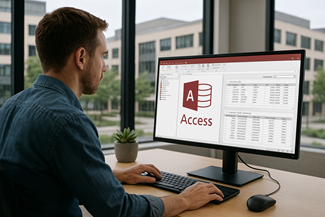
Are you having problems with your Microsoft Access database in Calabasas? If the file that tracks jobs, clients, inventory, or compliance is slow, unstable, or throwing errors, MS Access Solutions can fix it.
MS Access Solutions helps you repair what is broken, tune what is slow, and document what matters so you are not one crash away from panic. We can also tighten up permissions, reduce locking conflicts, and stabilize multi-user behavior without forcing a disruptive rebuild.
If your database has outgrown a single file, we can keep Access as the familiar front end and move tables to SQL Server for better speed and reliability. If you want a quick read on what to fix first, call (323) 285-0939.
The Best Microsoft Access Database Solutions owner, consultant, and principal programmer is Alison Balter – a recognized expert Microsoft Access consultant. Alison is the author of 15 Microsoft Access training books and videos. She is a frequent guest speaker at MS Access conferences and has developed hundreds of applications for businesses of all types.
We know your business data is important. We isten to your concerns, ask clarifying questions, and gather input from the people who use the system every day. Together we define what you need from your database, why certain features matter, and how staff actually works. From there we design the right table structure, queries, forms, dashboards, and reports so you get a stable system that supports real-world decision making.








Access continues to be a highly efficient tool for business database development.

How to create a Microsoft Access application with some useful tips and best practices.

Your Access developer near you has practical advice on choosing and working with an Access consultant.
Call MS Access Solutions at (323) 285-0939 for your FREE consultation.
Here is a common moment we hear about: it is late on a Friday, someone runs the weekly export, and the database pops a message that makes no sense. Nothing was "changed" (so it seems). But a shared folder was renamed, a workstation was replaced, or a front-end file was copied into the wrong location. Now the process that "always works" suddenly does not.
That is why we like boring systems. If your Access application is predictable, small changes do not cause big surprises. If it is fragile, every month-end and every handoff feels like a gamble.
Good Access apps do not rely on people remembering what to type. They guide users into the right choice. That starts with properly keyed tables, enforced relationships, and clear validation rules. If the database allows almost anything, people will enter almost anything, and the cleanup work shows up later in reports, exports, and audits.
We build simple guardrails: required fields where they matter, lookup tables for statuses and categories, and rules that prevent impossible combinations. The goal is not perfection. The goal is fewer bad records and fewer "why is this blank" questions.
If multiple people are opening the same front-end file from a shared folder, you are not running an application. You are passing a file around. A split database with a local front end for each user is a reliability move, not a convenience move. Once the split is done, updates get easier and support calls drop.
When it makes sense, we compile the front end to ACCDE so design changes are not made accidentally. Then we put a simple versioning routine in place so everyone launches the current front end without guessing. We have seen weekly billing and reporting routines go from "it fails twice a month" to "it just runs" once the front end is handled properly.
VBA automation should fail safely. That means error handling, cleanup steps, and logging that tells you what happened without re-running the job three times. If a routine imports files, generates PDFs, or pushes data to Excel, it should record the date, the user, and the outcome. When something breaks, you should know where it broke, not guess.
We also remove brittle assumptions, like hard-coded paths and printer names. Those details change in real offices, and the database should not fall apart when they do.
Access can encrypt a database with a password, and it is worth doing for data at rest. Just as important is the folder setup for the back end. Users need the correct permissions so lock files can be created and removed. If those permissions are wrong, you get random sharing errors that look like "Access problems" but are really Windows and network issues.
We also review what should be visible inside the app. Even in a small office, not everyone should see every table or every admin screen. Practical role-based navigation goes a long way.
When you need server-grade backups, stronger security controls, and cleaner concurrency, moving tables to SQL Server is a straightforward upgrade. The Access front end can stay as the user interface. SQL Server becomes the data engine. This approach avoids a disruptive rebuild while giving you a platform that is easier to manage as the business grows.
If you are not sure whether you need that step, we can evaluate your current setup and give you a clear, practical recommendation.
MS Access Solutions helps you stabilize and protect the Access databases that your business depends on. If you want a straight answer on what to fix first, call (323) 285-0939.
Answer: We start by looking at how your existing Microsoft Access database fits into your day in Calabasas instead of jumping straight into code. We walk through the forms your staff use, which reports management relies on, and where people see slow screens, confusing messages, or data that does not look right. Behind the scenes we review tables, relationships, queries, macros, and any VBA so we understand how the system was put together and where it is fragile. Then we build a phased plan that stabilizes the file, removes the worst problem areas first, and improves structure without forcing a disruptive rebuild that stops work for days.
Answer: Yes, moving to SQL Server or Azure SQL does not have to be a painful big bang project. For Calabasas clients we create a test copy of the back end and move the tables into SQL Server while leaving the Access front end in place. We relink the tables, run your key forms and reports against real data, and fix any issues in that safe environment first. Once we are confident everything behaves correctly, we schedule the final cutover for a low impact time, such as an evening or weekend. On the next workday your staff opens the same Access front end, but the data is now running on a stronger, more reliable database engine.
Answer: This is one of the most common situations we see in Calabasas. A core Access database does the heavy lifting, but every department has built its own set of Excel files on the side. We start by identifying which spreadsheets are really part of the system and which are just quick one off tools. Then we design imports that pull data from Excel or CSV files, check it for obvious problems, and store it in structured tables so there is a clear system of record. We also add exports and reports that replace copy and paste steps, which cuts down on conflicting numbers and reduces the risk of mistakes that come from juggling too many files.
Answer: Yes, remote support is a standard part of how we work with Calabasas businesses. Using secure remote tools, we can open your Access front end, see the same error messages your staff see, and step through problem screens together. That allows us to diagnose broken queries, missing tables, bad links, or network path issues without waiting for an on site visit. When a change is more involved, we can work on a copy of the database, test updates in a safe environment, and then guide you through rolling out a new front end. You get expert help quickly, with less downtime and less disruption to the office.
Answer: If your Microsoft Access database refuses to open, shows corruption errors, or crashes when someone runs a key report, we treat that as urgent. During normal business hours you can call (323) 285-0939 and we will ask a short list of focused questions about what changed recently, who is affected, and what backup options you have. In many Calabasas cases we can start a remote session the same day to stabilize the file, recover critical objects, or move essential data into a safe copy. When the damage is more severe, we explain clear options, outline the risks, and help you choose a path that balances speed, cost, and data protection instead of leaving you guessing.
Answer: Yes, we often help Calabasas companies that are still running operations from spreadsheets, shared folders, and long email threads. We begin by mapping the information you track customers, projects, orders, inventory, schedules, or compliance items and the steps that information passes through in a normal day. From there we design tables and relationships that reflect those real world steps and build forms and reports that match the way your staff already think about the work. The result is a Microsoft Access application that feels natural rather than something imposed from the outside. People learn it quickly because it reflects what they already do, but in a much more organized and reliable way.
Answer: Documentation is part of our normal process, not an optional extra. For Calabasas clients we provide a clear summary of what changed, which tables, queries, and forms were added or retired, and how tasks such as backups, imports, and new reports are supposed to run after the project. We often include brief notes inside queries or code modules and label navigation buttons or forms so future developers and power users understand why things are set up a certain way. That way you are not dependent on one person's memory and you can hand the system to a new staff member or outside IT resource without starting from zero.
Answer: Yes, many Calabasas businesses need Microsoft Access to share data with accounting software, CRM platforms, web portals, or industry specific tools. We look at where people are retyping the same information, where numbers get out of sync, and how data is moving today, even if that means manual exports and imports. Depending on the systems involved, we may use ODBC connections, scheduled imports and exports, or web services and APIs so data flows more reliably between Access and those other applications. The goal is to reduce double entry and let each system focus on what it does best while Access remains the flexible hub for your custom business rules.
Answer: We provide focused training for the people in your Calabasas organization who live in Access but do not want to become full time developers. Sessions usually cover practical skills such as filtering and sorting reports, using parameter prompts, understanding what to do when a message appears, and entering data in ways that avoid downstream problems. We also explain which areas of the database are safe for power users to adjust and which should be left alone. Because we use your actual screens and examples, staff can immediately apply what they learn to their daily work instead of trying to translate from a generic course.
Answer: Security is built into every Access and SQL Server project we deliver, especially when sensitive information is involved. For Calabasas clients we review who needs to see which data, how the database is shared on the network, and whether SQL Server or Azure SQL is already in use. We can implement role based permissions, split front ends so users only see what they need, and rely on SQL Server security instead of shared Windows logins. We also look at backup and recovery practices so you are not depending on a single file copy on one workstation. The aim is to protect your data and support compliance requirements while still keeping the system practical for everyday use.
Get more details about our Access programming services on the Microsoft Access programmer Covina, California web page.