
MS Access As A Dev Tool
Access continues to be a highly efficient tool for business database development.
 Call (323) 285-0939
 If your Access database is running slow, throwing random errors, or locking up when more than one person is using it, we can help you stabilize it fast. We fix broken forms and reports, repair corruption, and track down the real causes of performance problems, not just the symptoms. That might be missing indexes, bloated tables, duplicated data, or VBA code that is doing more work than it needs to.
If your database has outgrown a single Access file, we can keep Access as the familiar front end and move the tables to SQL Server for better speed, reliability, and multi-user stability. Call (323) 285-0939 for a free consultation and a clear plan.
Covina businesses and public agencies rely on databases to keep everyday work moving including permits, memberships, inspections, tracking, reporting. When an Access database starts acting up, the impact is immediate. Reports fail, screens freeze, and people fall back on spreadsheets to get through the day. What starts as a short-term fix quietly becomes the new normal.
MS Access Solutions helps Covina organizations stabilize and improve existing Microsoft Access databases without forcing a disruptive rebuild. We repair forms and reports that no longer behave, reduce multi-user conflicts, and clean up data that has grown inconsistent over time. When growth pushes Access beyond its comfort zone, we upsize the data to SQL Server while keeping Access as the front end your staff already knows.
If the problem isn't obvious, we start with a practical review. We look at queries that run too long, tables that have outgrown their design, missing indexes, fragile imports, and VBA that has become difficult to maintain. You'll get straightforward findings, clear priorities, and recommendations that respect real budgets and real deadlines, so running a report doesn't feel like a gamble.
The Best Microsoft Access Database Solutions owner, consultant, and principal programmer is Alison Balter – a recognized expert Microsoft Access consultant. Alison is the author of 15 Microsoft Access training books and videos. She is a frequent guest speaker at MS Access conferences and has developed hundreds of applications for businesses of all types.
We know your business data is important. We isten to your concerns, ask clarifying questions, and gather input from the people who use the system every day. Together we define what you need from your database, why certain features matter, and how staff actually works. From there we design the right table structure, queries, forms, dashboards, and reports so you get a stable system that supports real-world decision making.

At MS Access Solutions, our entire focus is Microsoft Access and related technologies. You are not handed off to short-term contractors or shuffled between departments. From the first discovery call through design, development, and long-term support, you work with senior programmers who learn your database, understand how your staff uses it, and stay with your project as it grows.
We build, repair, and improve Microsoft Access applications for businesses in Covina and throughout California. Often that means keeping the familiar Access front end your staff already knows, while moving data into SQL Server for speed and reliability. For example, we helped a professional services firm retire a maze of spreadsheets and replace it with a single job-tracking system. Data entry became faster, deadlines were clearer, and progress reports stopped being a weekly fire drill.
When you need secure online access, we design ASP.NET applications that connect directly to SQL Server. Staff can review and update records from the office, home, or field without emailing spreadsheets around. Role-based logins and structured permissions keep sensitive information protected while still being available to the people who need it.
Clients choose us because we specialize in Microsoft Access solutions that are practical, maintainable, and built for everyday use. Our goal is to support your operations, improve reporting, and give you room to grow without forcing you into a one-size-fits-all platform or a complete system rewrite.
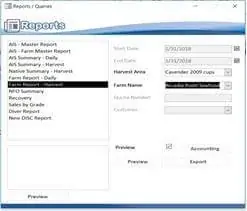


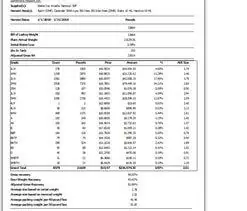







Access continues to be a highly efficient tool for business database development.
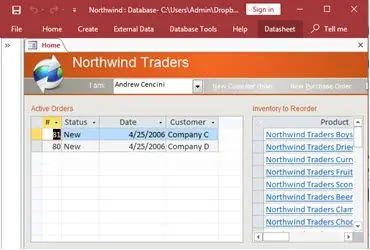
How to create a Microsoft Access application with some useful tips and best practices.
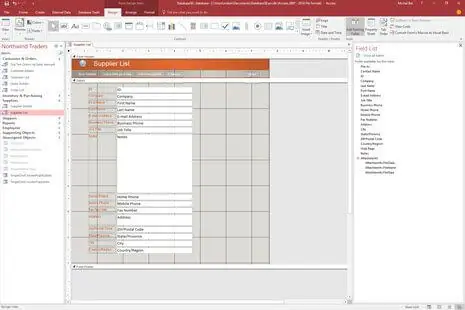
Your Access developer near you has practical advice on choosing and working with an Access consultant.
Call MS Access Solutions at (323) 285-0939 for your FREE consultation.
When people say an Access database is slow, they usually mean it is interrupting work. A report that used to run in ten seconds now takes two minutes. A form pauses after you click a button. Users start clicking twice because they think nothing happened. Then you get duplicate records, or a lock message, or the dreaded “Not Responding” on a busy day.
Most of the time, the problem is not Access “getting old.” The problem is that the database has grown and the design has not kept up. Access is fast when it is used the way it was designed. It struggles when tables get large, queries get complex, and forms pull way more data than the user needs.
An index is basically a shortcut. Without it, Access has to scan a table row by row to find what it needs. As your data grows, that scan gets slower. You can feel it in search boxes, combo boxes, and reports that filter by date, customer, job number, or status.
Indexes need to match how your staff actually searches and filters. That is why “adding more indexes” is not always the answer. Too many indexes can slow down data entry. The right indexes, on the right fields, is what makes the system feel snappy again.
Another common cause of slowdowns is the “mega query.” Over the years, someone adds a calculated field, then another, then a lookup, then a nested expression. The query still works, so it stays. But every time a form opens or a report runs, Access has to do all that work again.
A good fix is to break complex logic into simpler steps. You can stage results, simplify joins, and remove expensive expressions from the middle of a query. The end result is usually easier to maintain and much faster to run.
Many Access forms are built on tables or queries that return far more records than a user needs. If a staff member is working on today's orders, they should not be loading five years of history just to open the form. The same goes for combo boxes that are trying to display thousands of items at once.
Filtering early makes a big difference. Use search fields, date filters, and “load on demand” designs so the form opens fast and only pulls what is needed. In multi-user environments, this also reduces record locking and conflicts.
We start by finding the exact objects that cause the pain. Which report takes too long. Which form feels heavy. Which button triggers a long pause. Then we look under the hood. Are the tables indexed correctly. Are queries forcing full table scans. Are calculations running repeatedly. Are forms pulling huge recordsets.
Most performance fixes do not require a rebuild. They require cleanup that is focused and measurable. You should be able to say, “That report went from two minutes to ten seconds,” and everyone notices immediately.
If the database is already well designed and it is still slow, that is often a sign the data has outgrown a single Access file. In that case, moving tables to SQL Server while keeping Access as the front end is a practical upgrade. Staff still uses the same forms and reports, but the back end is built for higher volume and more simultaneous users.
MS Access Solutions focuses on fixes that support real work. We look at how your database is actually used, then we make practical changes that improve speed, stability, and confidence during the workday.
Answer: Yes. Access is still widely used for internal business systems, especially when paired with SQL Server. It works well for scheduling, tracking, reporting, and workflow automation when designed correctly.
Answer: Most multi-user problems come from shared front ends or improper locking. Once the database is split and each user runs their own front end, stability improves dramatically.
Answer: Repairing and optimizing an existing system is usually far less expensive. Rewrites introduce new risks, while targeted fixes often deliver immediate improvements without disrupting daily operations.
Answer: Many issues can be diagnosed within a few hours. Simple fixes may be done the same day, while structural improvements or SQL Server upsizing projects typically take longer depending on complexity.
Answer: Yes. Most of our work involves inherited databases. We document what exists, clean up fragile areas, and improve performance without forcing users to relearn the system.
Answer: In most cases, no. The forms and reports stay familiar. The change happens behind the scenes, where data storage becomes faster, safer, and more scalable.
Answer: Yes. Many Covina clients keep us available for maintenance, future enhancements, and troubleshooting so small issues do not turn into major disruptions.
Get more information about our programming services on the Microsoft Access programmer Cudahy, California web page.