

MS Access As A Dev Tool
Access continues to be a highly efficient tool for business database development.
 Call (323) 285-0939
 When your Access database runs slow, throws errors, or locks up with multiple users, we can fix it. We repair forms and reports, clean up data issues, and tune queries so daily work feels stable again.
We refactor VBA, set up a safe split database, and, when needed, upsize tables to SQL Server while keeping Access as the familiar front end.
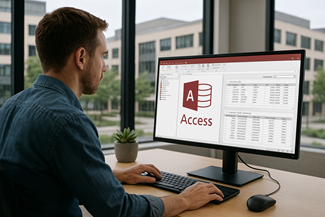
If your Access database won’t open, keeps asking to repair, or takes minutes to run a report, you’re not alone. We troubleshoot corruption, fix broken forms and reports, and tune queries so the file feels stable again.
In Sierra Madre and the nearby Foothill area (Pasadena, Arcadia), we often see Access used for scheduling, job tracking, customer lists, and reporting that grew over years. Once more than one person is entering data, locking conflicts, duplicates, and Excel workarounds start creeping in.
When an Access file begins freezing, showing random prompts, or taking minutes to run a report, people usually compensate with extra exports to Excel. That keeps work moving, but it also creates new problems: duplicate records, mismatched totals, and “shadow” versions of the truth. We help you pull that back into one reliable system.
We don't start with a grand redesign. We start by watching what breaks first: the slow form everyone hates, the report that takes forever, the query that suddenly returns blanks. Then we fix the boring stuff that actually moves the needle: indexes, joins, record-locking choices, and VBA that quietly retries the same action three times. If the database is outgrowing file-sharing, we map a clean next step so you're not guessing.
If you need multiple staff members working at the same time, we set up a proper split database and a safer deployment process, so the front end can be updated without disrupting everyone. And if the data volume or user count has outgrown a single file, we plan a measured move to SQL Server for the tables while keeping Access as the familiar front end.
MS Access Solutions specializes in Microsoft Access programming, repairs, and modernization. We work on existing databases first—because most businesses don't need a rebuild, they need the current system to run faster, stop breaking, and be safe for multi-user work.
Alison Balter is a Microsoft Certified Partner and Microsoft Certified Professional, and has been building Access solutions for more than 36 years. Many projects are under NDA, but the pattern is consistent: a careful review, clear priorities, and changes you can test before anything is rolled into production.
The Best Microsoft Access Database Solutions owner, consultant, and principal programmer is Alison Balter – a recognized expert Microsoft Access consultant. Alison is the author of 15 Microsoft Access training books and videos. She is a frequent guest speaker at MS Access conferences and has developed hundreds of applications for businesses of all types.
We know your business data is important. We listen to your concerns, ask clarifying questions, and gather input from the people who use the system every day. Together we define what you need from your database, why certain features matter, and how staff actually works. From there we design the right table structure, queries, forms, dashboards, and reports so you get a stable system that supports real-world decision making.








Access continues to be a highly efficient tool for business database development.

How to create a Microsoft Access application with some useful tips and best practices.
If two people opening the same database causes “record is locked” warnings, disappearing edits, or random crashes, the file is usually being shared in a risky way. The fix is not telling everyone to “be careful.” It's a clean split database setup with a front end per user and a stable back end on the network.
In Sierra Madre, we see this a lot with scheduling and job tracking databases that started on one PC. Once the file moves to a shared folder, small design issues become big problems. We review forms, conflict settings, and the tables that multiple users touch at the same time.
It depends on how your users work and where the file lives. For example, a database synced by OneDrive can behave very differently than one on a simple file share. We'll recommend the safest option for your setup and budget.
Most Access "slowdowns" come from a handful of queries doing too much work. A report that used to run in 10 seconds can turn into minutes when tables grow, joins get messy, or criteria stop using indexes.
We start by measuring, not guessing. We check the slow queries, the forms that call them, and the report record sources. Then we tune the pieces that actually move the needle: indexes, query structure, and how parameters are passed from the UI.
The goal is a database that stays fast as it grows. You'll get a clear list of what changed and why, so the next person who touches the file doesn't undo the fix by accident.
When an Access database relies on copy/paste routines or “run these three macros in order,” errors pile up. VBA automation is most valuable when it removes judgment calls and makes the workflow repeatable.
We modernize VBA so it runs cleanly on current Office versions (32-bit or 64-bit), and we add the kind of validation that prevents bad rows from ever landing in your tables. That's especially important for recurring Excel and CSV imports.
What you get next is practical: an updated front end, documented changes, and a short punch list of follow-up options if you want to keep improving the system over time.
If you're not sure what's causing the slowdowns, that's normal. Most of the time the symptoms don't point to the real cause.
Sources: Split An Access Database (Microsoft Support) , Optimize Access When Using ODBC Data Sources (Microsoft) , SQL Server Transaction Locking And Row Versioning Guide (Microsoft)
If you are dealing with crashes, locking conflicts, or reports that take forever, we can review what is happening and recommend the fastest fix. Most work can be done remotely, and we will tell you up front whether the right next step is repair, optimization, or SQL Server upsizing.
Answer: In most cases we can start with a quick remote triage the same day or the next business day. We’ll ask for a copy of the front end, a backup of the data file, and the exact error text. Then we identify whether the issue is performance, corruption risk, locking, or broken code, and you’ll get a short plan with the safest next steps.
Answer: Yes. We work with legacy .mdb and .accdb databases and current Microsoft 365 builds. We handle 32-bit vs 64-bit compatibility, missing references, ActiveX control issues, and VBA updates so your database behaves consistently after Office updates.
Answer: Most work can be done remotely and securely, which keeps turnaround fast and avoids travel delays. When on-site time is useful (for networking, shared folder setup, or staff workflow review), we schedule it and keep it focused so you’re not paying for guesswork.
Answer: Absolutely. We can create a clear object inventory (tables, queries, forms, reports, modules), a short data dictionary, and notes on key workflows. If you want, we also add inline code comments and a simple change log so future updates are safer and faster.
Answer: We do it in phases. First we split the database properly and stabilize the existing workflows. Next we move the highest-value tables to a test SQL Server back end, update linked tables and critical queries, and run a side-by-side pilot. Once results match and performance is steady, we cut over with a checklist and a short training note for staff.
Answer: Most slowdowns come from growth. Tables get bigger, queries stop using indexes, and one heavy report drags down everything else. We start by measuring the slow spots, not guessing. Then we tune joins and criteria, add the missing indexes, and fix the form/report record sources that are pulling far more data than you need. If it's a shared file, we also check network speed and front end version drift, because those can make “slow” feel random.
Answer: If your database is shared, the safest fix is a split front end/back end with one front end copy per workstation. From there we check conflict settings, key fields, and any code that writes to shared tables in loops. We also review how people search and filter, because unindexed lookups can lock records longer than expected. Once those are cleaned up, multi-user work becomes predictable again.
Answer: Yes. We keep the screens and workflow you already rely on, then refactor VBA in small, testable steps. That usually means removing brittle macro chains, fixing missing references, and updating code so it behaves on current Office versions (32-bit or 64-bit). It depends on how much automation is buried in event handlers and old modules, but the goal is the same: fewer surprises, clearer error checking, and code you can maintain.
Answer: Don't keep clicking “Compact And Repair.” We take a safe copy, test repair options, and recover objects when possible. If repair isn't safe, we rebuild the damaged pieces and validate the data so you're not back in the same spot next week.
Answer: Absolutely. For recurring imports, we build an import routine that checks the file before it touches your tables. That prevents bad rows from poisoning reports for weeks. We do:
For example, if a contractor list comes in with mixed date formats, we normalize it during import so totals and aging reports stay consistent.
Answer: If your Sierra Madre database is handling more users, larger tables, or heavier reporting, SQL Server can be a safer back end while you keep Access as the front end. The win is reliability: better concurrency, stronger backups, and fewer "file feels unstablee" moments. It can also reduce front end bloat, because the data isn't traveling inside the .accdb file.
We don't push a migration by default. We look at row counts, growth rate, and how the database is used day to day. Then you get a plan with clear next deliverables: (1) a properly split database, (2) a test SQL back end with the critical tables moved, (3) updated linked tables/queries, (4) a cutover checklist, and (5) a short training note for staff. You can stop after any phase if the performance and stability are already where you need them.
Answer: Usually no. Sync tools can create version conflicts that look like corruption. A simple network share (or SQL Server back end) is typically safer, and we can help you set it up and deploy front ends cleanly.
Get more information about our Microsoft Access programming services on the Signal Hill Microsoft Access Programmer web page.
