
MS Access As A Dev Tool
Access continues to be a highly efficient tool for business database development.
 Call (323) 285-0939
 If your Access database is slowing people down, we can get it back under control. Malibu owners tell us the same story: it ran fine for years, then data grew, more users logged in, and everything started to drag. Reports crawl, a form hangs on Save, and someone exports to Excel just to finish the day. We repair broken forms and reports, tune queries so screens load fast, and tighten multi-user settings to reduce conflicts. If the .accdb is hitting its limits, we can move tables to SQL Server while keeping Access as the familiar front end. Need help now? Call us at (323) 285-0939.
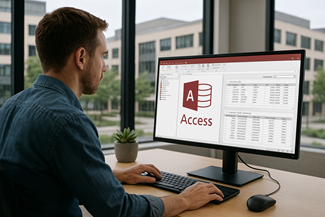
In Malibu, Access databases often end up running the unglamorous parts of the job that still have to work every day: permit tracking, vendor lists, inspections, equipment logs, scheduling, and the end of month reporting that people rely on. When the database starts acting up, it is rarely subtle. A report stalls right before a meeting. A form saves half the record. Someone exports to Excel just to get through the afternoon.
MS Access Solutions helps Malibu organizations stabilize and improve the Access systems they already have. We fix broken forms and reports, reduce multi user conflicts, and clean up data so it stops duplicating and drifting. If you have staff working from different locations, we can also tighten how the front end is deployed so everyone is using the same version. When growth pushes the file past its comfort zone, we upsize the tables to SQL Server while keeping Access as the front end your staff already knows.
If the cause is not obvious, we start with a practical review. We look for query bottlenecks, missing indexes, bloated tables, shaky imports, and VBA code that has been patched too many times. You get clear findings, prioritized fixes, and a plan that fits real budgets and real deadlines.
The owner, consultant, and principal programmer at MS Access Solutions is Alison Balter - a recognized expert Microsoft Access consultant. Alison is the author of 15 Microsoft Access training books and videos. She is a frequent guest speaker at MS Access conferences and has developed hundreds of applications for businesses of all types.
We know your business data is important. We listen to your concerns, ask clarifying questions, and gather input from the people who use the system every day. Together we define what you need from your database, why certain features matter, and how staff actually works. From there we design the right table structure, queries, forms, dashboards, and reports so you get a stable system that supports real-world decision making.

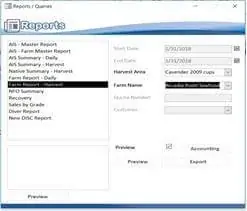


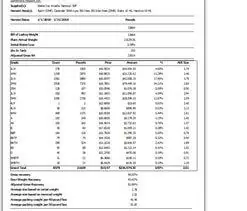







Access continues to be a highly efficient tool for business database development.
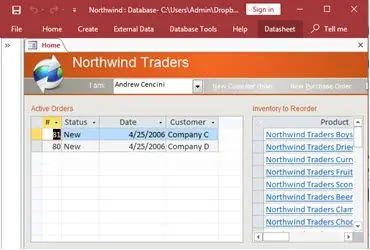
How to create a Microsoft Access application with some useful tips and best practices.
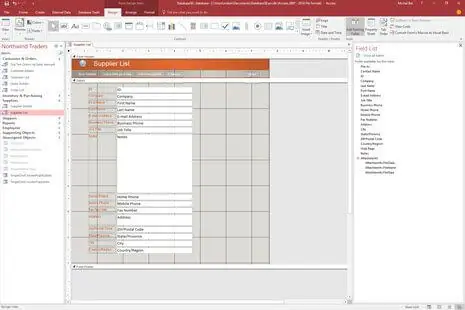
Your Access developer near you has practical advice on choosing and working with an Access consultant.
Call MS Access Solutions at (323) 285-0939 for your FREE consultation.
Most Access databases do not fail all at once. They get slower in small steps, then users start working around the system. In practice, we usually find a mix of missing indexes, queries doing far more work than the form needs, and reports that pull full tables when a filtered dataset would do. We track down the bottleneck and fix it at the source so the database feels consistent again.
When several people are in the database at the same time, small design choices matter. If users see write conflicts, save prompts, or random freezes, the front end may be shared, the form may be bound to too many fields, or record locking may be set in a way that blocks others. We split front ends correctly, tune form record sources, and adjust locking behavior so staff can work side by side without stepping on each other.
This is common. A report runs fine on Tuesday, then crawls on Friday when the file has more records and more users. We rebuild reports so they load only what they need, add the right indexes, and avoid calculations that force Access to scan every row. The goal is simple: click the report, get the report, and move on.
Excel exports are normal in moderation. But when people export every day because they do not trust totals or a query feels risky, the database has stopped being the system of record in practice, even if it still holds the data. We see this a lot in Malibu offices where project timelines move fast and nobody has time to reconcile three versions of the same spreadsheet.
We fix the reasons exports became necessary. That usually means correcting query logic, tightening relationships, and rebuilding a report so it runs fast and matches what management expects. Once the database produces clean numbers on demand, exports become a choice again, not a survival tactic.
Older VBA can run for years, then fail after an Office upgrade, a Windows update, or a small field name change. We review the code paths that matter, remove brittle assumptions, and replace risky shortcuts with clearer logic. The result is fewer surprises and a system that is easier to support as your environment changes.
If you are seeing corruption warnings, slow backups, or hesitation before opening large tables, your data may be pushing past what a single Access file handles well. In many cases, the best move is to keep Access as the front end and move tables to SQL Server. That improves reliability, supports better backups, and gives you room to grow without forcing a full retraining of staff.
Answer: In most cases, yes. We typically work on a copy of your database, apply changes, and test them before anything touches production. When it is time to switch, we plan a controlled update so staff in Malibu can keep working with minimal disruption.
Answer: This often comes down to environment differences, not just the database itself. Network speed, Windows updates, Office bitness, and even how the front end is deployed can change performance. We review your setup and recommend fixes that make the experience consistent across machines.
Answer: Write conflicts usually appear when two people are trying to update the same record, or when a form is holding locks longer than it should. We adjust record locking settings, optimize form record sources, and in some cases redesign how edits are saved. The goal is to let users work at the same time without surprise prompts.
Answer: Warning signs include corruption scares, slow backups, and a file that feels fragile when it grows. Another clue is when reporting gets slower as data accumulates, even after tuning. We can evaluate your database and tell you whether optimization is enough or whether SQL Server upsizing is the safer path for the next few years.
Answer: Usually not. Many Malibu clients keep Access as the front end, so forms and reports still look familiar to staff. SQL Server simply stores the data more reliably behind the scenes. This approach improves stability and backup options without forcing a full software change.
Answer: Yes, and it is a common situation. We start by mapping tables, relationships, queries, and VBA so we understand how the system really works. From there, we can clean up problem areas, document the logic, and make changes in a way that reduces risk.
Answer: A focused review is usually the fastest path. We look at performance, table design, query patterns, forms, reports, and multi user behavior. You get clear findings and a prioritized fix list so you can decide what to tackle first and what can wait.
Get more information about our programming services on the Microsoft Access programmer Santa Monica, CA web page.