
MS Access As A Dev Tool
Access continues to be a highly efficient tool for business database development.
 Call (323) 285-0939
The Best Microsoft Access Database Solutions owner, consultant, and principal programmer is Alison Balter - a recognized expert Microsoft Access consultant. Alison is the author of 15 Microsoft Access training books and videos. She is a frequent guest speaker at MS Access conferences and has developed hundreds of applications for businesses of all types.
We know your business data is important; we listen to your concerns, ask questions, and gather information from all stakeholders. We discuss your needs and requirements for your database. We find out what you want, why you need various features so we can obtain as much information as possible. Once we have the information we need, we work with you to design the proper database architecture, plus the dashboards, the questions (queries), forms, and reports you need for an excellent database system.

We also create websites designed for speed to display your data accurately, using ASP.NET technology. Fast, secure, and robust, our ASP.NET websites and web applications give you true business tool for finding and displaying information dynamically on the web.
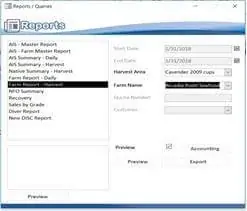


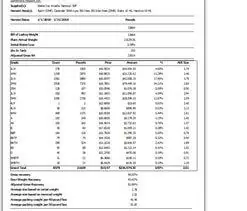







Access continues to be a highly efficient tool for business database development.
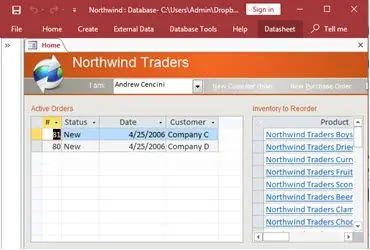
How to create a Microsoft Access application with some unique tips and tricks.
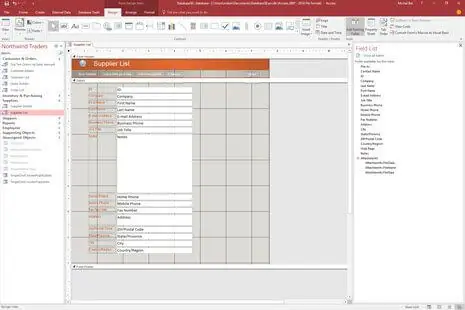
Your Access developer near me has some great info for you about using Access efficiently.
Microsoft Access is a powerful database software that can be used to create and manage relational databases. Access was designed to provide an easy-to-use interface for creating simple database programs, but it has evolved over the years into a robust application with features suitable for enterprise level applications. The rise of the internet has also made Microsoft Access more popular because it does not require installation on client machines or servers. Microsoft Access is ideal for web applications and mobile apps requiring massive data sets.
The components of Microsoft Access are:
We have 36+ years of experience as a full time Microsoft Access programmer agency. We've created Access database software for: government agencies at the federal, state and local level, U.S. military, dentists, physicians, medical clinics, universities, junior colledges, and school districts, oil and gas companies, insurance agencies, insurance companies, hospitals, and horticulture and agriculture industries. MS Access Solutions is the expert Access programmer you need for your Ingelwood, California, Access database. Contact us at (323) 285-0939 for free no-obligation consultation.
Here are some examples of imortant skills we use as a Micosoft Access progrmmer. When choosing a Microsoft Access programmer, they should know how to perform the following:
Find out more about our database services on the Microsoft Access programmer Irwindale, California web page.
Answer: Yes. We inventory references, add-ins, and deprecated controls, then replace risky components with supported equivalents that behave consistently in 64-bit Office. Forms and reports are refactored to remove fragile ActiveX and unreliable API calls, and we standardize trusted locations for OneDrive/SharePoint compatibility. We validate printers, PDF settings, and conditional formatting, and adjust VBA where Jet/ACE assumptions collide with modern Office security. The result is a stable, current Access front end that works smoothly across your Inglewood, CA workstations and laptops.
Answer: We split the application into a front end for each user and a back-end data file (or SQL Server), which immediately reduces contention and corruption risk. Attachments and embedded images are right-sized or offloaded, and we implement safe compact/repair and backup routines. We also remove orphan objects and temp tables, trim recordsets, and set a lightweight front-end auto-update so everyone runs the same code. Together, these steps keep file sizes small, startups faster, and day-to-day work stable—even during peak activity near the Inglewood Civic Center.
Answer: We profile hot paths, add indexes to join and filter columns, and rewrite non-sargable criteria—filters that prevent indexes from working and cause timeouts. Heavy expressions move out of WHERE clauses, joins on wide text fields are tightened, and forms are adjusted to fetch only the rows and columns they actually need. When you have a server back end, we convert choke-points to pass-through or parameterized queries and verify network latency. Expect faster loads, snappier searches, and consistent screens even during traffic surges around SoFi Stadium and Hollywood Park.
Answer: Absolutely. We define saved import/export specs, enforce column names and data types, and map named ranges or tables by name so changes don't silently break. Before loading, we screen for duplicate keys, missing required fields, and bad dates to block polluted data from reaching production tables. For recurring workflows, a staging table captures issues with clear rejection reasons so teams can correct and resubmit quickly. Your staff gets predictable round-trips between Excel and Access without surprises.
Answer: We implement dependable concurrency with proper primary keys plus row-version/timestamp fields that detect collisions in real time. Clear save flows and short edit sessions reduce the conflict window, and friendly prompts guide users if a record changed while they were editing. We add visual cues showing who is editing which record and log key updates for traceability. The outcome is calm, coordinated teamwork across your Inglewood office, even at busy times.
Answer: Yes. We place the front end, documentation, and templates in the right cloud libraries while keeping transactional data in SQL Server or Azure SQL to avoid corruption from file sync. Stable UNC/HTTPS paths and conditional caching give remote users fast opens without version conflicts. Inside Teams, we surface reports, tips, and short walkthroughs so everyone stays aligned on process. Your distributed South Bay users gain simple, predictable collaboration with fewer file headaches.
Answer: We assess data volume, concurrency, and reporting needs, then design a hybrid with Access as the front end and SQL Server/Azure SQL as the back end—or plan a phased migration. Tables are upsized with proper keys and indexes; action queries become pass-through where appropriate; and DAO/ACE assumptions in VBA are refactored. We pilot in a staging copy, run user acceptance with realistic data, and schedule a brief, well-communicated cutover. After go-live, we monitor query plans and tune indexes so performance stays steady.
Answer: We implement role-appropriate menus and granular permissions in the app layer and, for SQL back ends, enforce database-level security on sensitive tables. Edits, deletes, nd approvals can be logged with user, timestamp, and before/after snapshots to satisfy accountability needs. We document backup/restore procedures, verify credential storage, and align retention with your compliance requirements. You gain practical security and traceability without slowing day-to-day work.
Answer: Yes. We standardize report parameters and page settings, then build scheduled routines that generate predictable PDFs or worksheets and route them to the right destinations. Totals and numeric precision are validated, and we add guardrails for missing inputs so the job fails safely with a clear message. When server back ends exist, we push heavy aggregation into SQL for speed and consistency. Your team receives on-time reports without manual weekend or late-night effort.