
MS Access As A Dev Tool
Access continues to be a highly efficient tool for business database development.
 Call (323) 285-0939
 When an Access database starts acting up, the pain shows up fast. Screens hang, reports take forever, edits do not stick, and someone ends up rebooting a shared file twice a day. We fix the underlying causes, query bottlenecks, bloated tables, missing indexes, broken links, and VBA that grew over time and now fights you.
In Hermosa Beach, we often see Access used as the hub for scheduling, customer tracking, job status, and internal reporting. The database may have started as a smart one-person tool, then slowly became the system everyone depends on. We tighten up the structure, streamline forms, and make multi-user use more predictable, so your staff is not tiptoeing around the database. Call (323) 285-0939 for your free consultation.
In Hermosa Beach, a lot of day-to-day work runs on simple systems that grew over time. A quick Access file becomes the "main database," then it starts handling quoting, scheduling, inventory, billing, and reporting. When that happens, small issues turn into slow screens, confusing data, and reports you no longer trust.
MS Access Solutions helps Hermosa Beach organizations repair unstable databases, tune queries, rebuild forms and reports, and replace fragile macros with VBA automation. If you need more speed and safer multi-user performance, we can upsize the data to SQL Server while keeping Access as the front end your staff already knows.
If the root cause isn't obvious, we start with a practical review and show you what matters most first. You'll get clear priorities, straightforward options, and fixes that fit real deadlines. Call (323) 285-0939, or jump to our Access Tech Talk for a few quick ideas for Microsoft Access programmers.
MS Access Solutions owner is Alison Balter - she is also principal programmer. She is a Microsoft Certified Partner and Microsoft Certified Professional, and the author of 15 Microsoft Access training books and videos. Alison has built and repaired hundreds of Access applications for organizations that need dependable data, clean reporting, and stable day-to-day workflows.
Your database matters because it quietly runs the details. We listen first, ask practical questions, and gather input from the people who use the system every day. For Hermosa Beach businesses, that usually means fixing what slows you down right now, then improving the structure so the database stays reliable as you grow. From there we design the tables, queries, forms, dashboards, and reports so your Access system supports real-world decisions without constant workarounds.

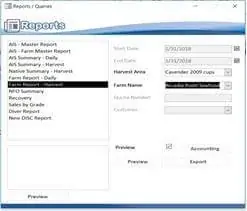


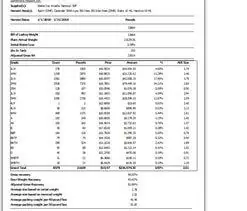







Access continues to be a highly efficient tool for business database development.
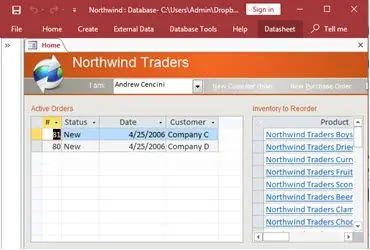
How to create a Microsoft Access application with some useful tips and best practices.
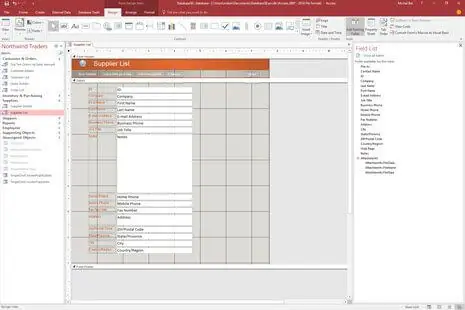
Your Access developer near you has practical advice on choosing and working with an Access consultant.
This material provides practical guidance for database programming help in Microsoft Access, with a focus on how businesses can use custom database solutions to run day-to-day work more smoothly. In Hermosa Beach, that might be a surf shop tracking rentals and repairs, a studio managing class packages, or a contractor trying to keep jobs, invoices, and follow-ups in one place. Quick aside: if people dread using the database, it won't matter how "powerful" it is.
Let me tell you something about Access development that surprises a lot of people. It's not just about building a simple database. We've seen organizations take an Access file that was barely holding together and turn it into a tool that guides users, prevents bad data, and produces reporting that actually matches how the business runs. Quick aside: the best systems feel boring, because they just work.
Although cloud databases get most of the attention, you still see Access ranked among the top database systems. That tells you something about its staying power. With VBA, Access doesn't just store data. It can automate steps, generate reports, push output to Excel or PDF, and handle "do this, then that" workflows that would otherwise stay manual.
Here's what most people miss about VBA automation in Access. It goes way beyond "building tables." You're adding logic to the database with macros and code, which is how you get smart forms, consistent validation, and automation for the repetitive tasks that eat up time. And when the database matches the workflow, the people using it stop fighting it.
As an experienced Microsoft Access database programmer service, we use several development elements to build application-style solutions. VBA code modules handle the logic behind database operations, while custom forms provide user-friendly interfaces that make data entry and retrieval straightforward. We can also integrate ActiveX components and Windows operations to expand capability beyond the basics. Quick aside: buttons should do the work, not the person clicking them.
The development process typically involves creating event-driven procedures that respond to user actions. Think about it this way: when someone clicks a button on a form, the underlying VBA code executes specific commands like opening reports, filtering data, exporting a file, or running calculations. That's what makes Access behave like purpose-built software instead of a file that people tiptoe around.
Organizations hire us to solve business challenges that standard database features can't handle well. That might mean creating forms that match the way your operation really runs, generating reports programmatically based on your exact needs, or writing functions that execute complex queries on demand. Here's a simple problem-to-relief moment we see a lot: a Friday afternoon report won't run, everyone is frustrated, and on Monday it's a 10-second click because the query and indexes were fixed. Quick aside: small fixes often create the biggest day-to-day relief.
As your professional Microsoft Access programmer, we implement techniques that go beyond basic database operations. VBA allows for a tailored experience that fits your workflow, including multi-user systems that behave smoothly, security controls that protect data, and interfaces that keep people consistent. Quick aside: "multi-user" isn't just a feature, it's a design choice.
Our work can also involve integration with cloud platforms and web services. Here's something interesting: the 32-bit version of Access for Microsoft 365 has been updated to be Large Address Aware (LAA). This increases the maximum address space available, allowing for more complex applications that can handle larger datasets and more sophisticated logic than earlier builds.
Selecting the right Microsoft Access programmer means understanding your specific business needs and technical requirements. Our Access programmers are experienced in Microsoft Access Consulting and Access VBA Programming, which is important because you need someone who understands both the code and how the business uses the system. Quick aside: clever code doesn't help if the workflow still feels messy.
MS Access Solutions programmer services typically include system analysis, custom development, testing, and ongoing support. When you work with our experienced programmers, you'll get solutions that meet your requirements while maintaining reliability and performance standards you can depend on.
Microsoft continues to update Access with new features and capabilities, which keeps it viable for ongoing development projects. One example is the new Microsoft Edge Browser Control, which can display web pages directly on a form. That makes it easier to blend Access screens with web-based tools when it fits your workflow. Quick aside: modern doesn't always mean replacing everything.
Businesses investing in MS Access Solutions development benefit from a platform that balances power with familiar Microsoft Office integration. You get strong automation through VBA and a system that can scale without the complexity of enterprise platforms that require specialized IT resources to maintain. Quick aside: if your database supports the work, it supports the business.
When you need an expert Access programmer for your Hermosa Beach, California, business contact us at (323) 285-0939.
Answer: Here's the test: Are you emailing spreadsheets back and forth? Finding yourself with files named "Customer_List_FINAL_v3_actualFINAL.xlsx"? Spending more time fixing broken formulas than running your business? That's when Access makes sense. It's built for situations where data relationships matter—like connecting customers to orders to invoices. If you're constantly copying information between multiple Excel files, Access eliminates that headache entirely.
Answer: Because "fine" usually means someone on your team is doing manual work that a database could handle in seconds. One Hermosa Beach client was spending six hours monthly creating reports by copying data between five different spreadsheets. After building their Access database, same reports took eight minutes. That's not just time savings—it's freeing up your best people to focus on actual business growth instead of data babysitting.
Answer: You already own Access if you have Microsoft 365. Cloud platforms charge per user, per month, forever—which adds up fast. A $50/month platform costs $600 yearly, $6,000 over ten years, times every user. Custom Access development has upfront costs but no ongoing subscription fees. For many businesses, Access pays for itself within a year. Plus, your data stays on your servers, not someone else's cloud.
Answer: Absolutely—and that's how we recommend doing it. Start by solving your biggest pain point, whether that's customer tracking, inventory management, or project coordination. Get that working smoothly, then add features as needs emerge. We've built databases that started as simple contact managers and evolved into complete business management systems over time. Smart businesses don't buy more database than they need today.
Answer: Access has been around since 1992 and remains part of Microsoft's core business suite. But even if it disappeared tomorrow, your data wouldn't vanish. Access databases use standard formats that can migrate to SQL Server, cloud platforms, or other systems. We build with that flexibility in mind. Unlike proprietary cloud services that can shut down or change pricing overnight, you own your Access database and data completely.
Get more information about our programming services on the Microsoft Access programmer Hidden Hills, CA web page.