

MS Access As A Dev Tool
Access continues to be a highly efficient tool for business database development.
 Call (323) 285-0939
 36+ Years Fixing Microsoft Access Databases
Slow searches, broken reports, and random locking usually come from design drift. We isolate the bottleneck, tune queries, and stabilize forms and VBA so daily work stops stalling.
In Lynwood, Access often runs intake, dispatch, and inventory for small offices. If the database back-end needs more concurrency, we keep the familiar front-end and upsize tables to SQL Server. Call (323) 285-0939 for a free consultation.
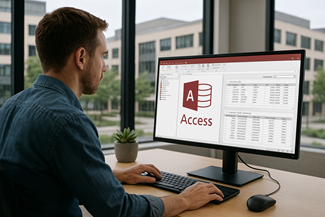
Lynwood organizations often start with Access because it is fast to build and easy for staff to learn. Over time, the file grows, more people share it, and small design shortcuts begin to hurt. You see it as slow searches, reports that hang, and data that doesn't match from screen to screen.
MS Access Solutions helps Lynwood businesses and public agencies stabilize existing Access databases without forcing a disruptive rebuild. We repair broken forms and reports, reduce multi-user conflicts, and clean up tables and queries that have drifted out of alignment. If your workflow depends on imports from Excel, QuickBooks, or vendor files, we also harden those steps so the next update doesn't break everything.
When Access is still the right user interface but the back-end needs to scale, we upsize the tables to SQL Server and keep Access as the front-end. You get stronger reliability, better concurrency, and predictable performance. You also get a clear plan, so the next change is a controlled update, not an emergency, or a fire drill.
The Best Microsoft Access Database Solutions owner, consultant, and principal programmer is Alison Balter – a recognized expert Microsoft Access consultant. Alison is the author of 15 Microsoft Access training books and videos. She is a frequent guest speaker at MS Access conferences and has developed hundreds of applications for businesses of all types.
Your database holds the details that keep work moving—customers, jobs, invoices, and reports. We listen to your concerns, ask clarifying questions, and gather input from the people who use the system every day. Together we define what you need from your database, why certain features matter, and how staff actually works. From there we design the right table structure, queries, forms, dashboards, and reports so you get a stable system that supports real-world decision making.

At MS Access Solutions, we focus on Microsoft Access and the pieces that surround it: VBA, SQL Server, imports, and reporting. When you reach out, you work with the same senior programmer from the first call through the fix. No hand-offs. No guessing who has your file. We're here to get it stable.
We build, repair, and improve Access applications for businesses in Lynwood and across Los Angeles County, including files that started as a quick tracker and then quietly became the system everyone depends on. If you're double-entering data, or a report only works "sometimes," don't assume you need a rewrite—most of the time it's a practical cleanup and a few targeted fixes.
When the back-end needs more stability, we keep the familiar Access front-end and move tables to SQL Server so multi-user work is smoother and backups are safer. If you need secure online access, we can build an ASP.NET layer that connects to SQL Server, with role-based logins and permissions that match how your people actually use the data.
Clients come to us because we keep things straightforward. We'll tell you what's broken, what's risky, and what will move the needle first, then we document the changes so the next update is controlled instead of a fire drill. The goal is an application that runs cleanly day to day, produces reports you trust, and still has room to grow without forcing a one-size-fits-all platform.







Access continues to be a highly efficient tool for business database development.

How to create a Microsoft Access application with some useful tips and best practices.

Your Access developer near you has practical advice on choosing and working with an Access consultant.
Call MS Access Solutions at (323) 285-0939 for your FREE consultation.
It's rarely “everything is slow.” It's usually one screen that pauses, one report that takes minutes, or one search box that hangs when you type the first few letters. People click twice, the app feels unstable, and trust drops fast.
Most Access performance problems come from queries doing too much work. Forms pull entire tables when the user only needs a small slice. Reports apply filters after the data is loaded instead of before. We tune the query plan, add the right indexes on join and filter fields, and reduce calculated fields that are recalculated thousands of times.
If multiple people open the same front-end, you get conflicts and random “Could Not Update” errors. It's common, and it doesn't mean the file is doomed. The standard fix is to split the database and give each person their own front-end, then connect all front-ends to a shared back-end (or SQL Server). It sounds basic, but it solves a lot of headaches.
If you're not sure where to start, we can review your database, explain what is actually happening, and prioritize fixes that make the biggest difference first.
Answer: Most slowdowns come from query bloat, missing indexes, and forms that grew without a plan. We start with the worst screens, capture what's timing out, then tighten joins, add the right indexes, and remove unnecessary lookups. If it's only slow for certain people, it depends on network paths and file location.
Answer: If more than one person uses the file, each person should run their own front-end on their PC, with the tables in a shared back-end. That split setup reduces locks and corruption and makes updates predictable.
Answer: It depends on how heavily the app relies on macros and what version of Office you're moving to. We keep working features in place, then convert the fragile parts—startup logic, button actions, and data updates—into VBA with clear error handling. We also clean up references and replace hard-coded paths. The result is easier maintenance and fewer surprises when staff moves to 64-bit Office. If you only need a targeted fix, we can modernize the specific modules that are breaking today.
Answer: Imports usually fail because the incoming file changed: column names shift, blank rows sneak in, or dates arrive as text. We add validation, define key rules, and log what was accepted or rejected so you can fix the source file quickly. For example, we'll stop an Excel import that would create duplicate customer IDs and produce a simple exception report. When needed, we automate the import so it runs the same way every time instead of depending on manual clicks.
Answer: Printing problems usually come from different printer drivers, paper sizes, and Access settings stored per PC. We standardize the report setup, test on the printers you actually use, and lock the layout so it stays consistent across workstations. If a report is built on an old template, we also refresh it so headers, totals, and page breaks stop drifting.
Answer: If the file is shared all day, grows past a few hundred thousand rows, or you need reliable backups and permissions, SQL Server is usually the next step. We keep Access as the front-end, so staff keeps the same screens while the back-end becomes more stable.
Answer: Yes. We inventory tables, relationships, queries, and VBA modules, then map the “critical path” screens used every day. From there, we fix the biggest risks first—corruption triggers, brittle imports, and the slowest reports—so you can keep working while the cleanup happens. If we see duplicate logic or hidden workarounds in Excel, we fold that back into the database in a controlled way.
You get: a short findings summary, a prioritized fix list, a cleaned-up copy of the front-end, and a safe update plan (including a rollback backup). If the database is shared across the Lynwood area, we confirm the split setup and file location so multi-user work is stable before new features ship. After that, ongoing changes become routine releases instead of surprise outages.
Get more information about our programming services on the Microsoft Access Programmer Cerritos, CA web page.