


MS Access As A Dev Tool
Why Access still makes sense when a business needs screens and reports that help people get through the day without a fight.
Mesa companies usually call after a string of smaller frustrations, not one theatrical crash. A job-status screen hangs for five seconds every time dispatch touches it. A workbook import lands everything one column to the right. Somebody near Falcon Field starts keeping a yellow note beside the monitor because the same report cannot be trusted twice in one day.
That is the kind of mess we clean up. We trace the delay, repair the broken routine, and only move data to SQL Server when the old Access setup is clearly carrying too much weight. The goal is simple: make the system feel dependable again without forcing your staff to learn a brand-new workflow. Call (323) 285-0939 for a free consultation.
Nobody opens a support request that says the database architecture is getting tired. In Mesa, the warning signs are more ordinary than that. A vendor record takes long enough to open that someone checks email while it loads. A front-desk person prints the same report twice because the first total looked odd. By the time a supervisor keeps a side spreadsheet, the problem has already started costing real time.
We go after the part that keeps tripping people first, then decide whether anything bigger even needs to happen.
People who still run daily work through one Access file and are tired of treating every slowdown like normal.
We test against real work, change one pressure point at a time, and avoid the kind of rollout that turns Monday morning into an experiment.
We do all our work remotely. You don't need to find extra computers or work stations for 4 to 6 programmers. We save you money and time because we work efficiently and turn changes around quickly. You don't even have to buy us coffee!
Call: (323) 285-0939
Service Area: Mesa, Tempe, Chandler, Gilbert, Scottsdale, Phoenix, And The East Valley
Owner And Access Expert: Alison Balter
Microsoft Certified Solutions Developer (MCSD)
Microsoft Certified Professional (MCP)
Microsoft Certified Trainer (MCT)
Microsoft Certified Partner (MCPa)
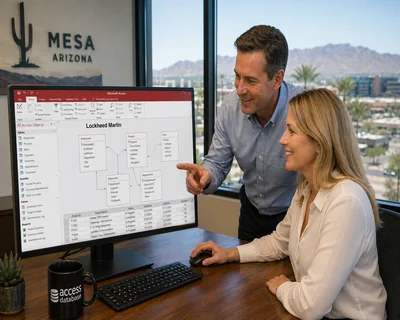
MS Access Solutions designed and built a custom Microsoft Access database for Lockheed Martin, including work tied to the commercial office in the Mesa and Phoenix metro area. Alison Balter, owner of MS Access Solutions, developed the application using tables, queries, reports, Visual Basic for Applications (VBA) automation, and SQL Server as the back-end data store. The result is a database dashboard built around the way engineers actually work. Large datasets move through it without lag. Remote staff connect without problems, local staff work without interruption, and the engineers using it say it makes their daily work faster and easier.
MS Access Solutions signed a Non-Disclosure Agreement with Lockheed Martin, so the specific nature of the data cannot be discussed. What can be discussed is what the work involved: an Access and SQL Server application with forms and reports built around real engineering workflows; the kind that still runs cleanly at the end of a ten-hour shift. Getting that right takes more than writing clean code. You have to understand how the work actually flows before you build the screens around it.
We hear the same sentence in a lot of Mesa offices: "It still works, but nobody really likes using it anymore." That usually means the system has not completely failed. It has just become slow enough, odd enough, or inconsistent enough that people have started building side habits around it.
That is where Alison Balter and MS Access Solutions come in. Alison is the founder, owner, and principal programmer, and the work stays practical from the start. We read the file the way your staff meets it during a normal day, not the way a brochure describes it. We have even seen sticky notes taped to a monitor that say, "Run it again if the first total looks off."
Alison holds four Microsoft certifications: Microsoft Certified Solutions Developer (MCSD), Microsoft Certified Professional (MCP), Microsoft Certified Trainer (MCT), and Microsoft Certified Partner (MCPa) -- one of the first professionals in the industry to earn the MCSD designation. She has authored 15 books on Microsoft Access published by Sams Publishing, including the Mastering Microsoft Access series covering Access 95 through Access 2007. She has produced over 300 internationally marketed computer training videos and is a regular speaker at national Access, SQL Server, and Visual Basic conferences. Her clients have included Shell Oil, Southern California Edison, Accenture, Northrop, the Archdiocese of Los Angeles, Prudential Insurance, the International Cinematographers Guild, and many U.S. government agencies.
That is not a database theory problem. That is a workday problem. Then we go after the weak join, the stale link, the overgrown query, or the old VBA branch that everybody has been avoiding.
Some Mesa projects do end with a careful SQL Server move. Others need a safer split setup, cleaner imports, better report logic, or a pass through the VBA that has been patched by too many hands over too many years. The right answer depends on volume, users, and where the daily irritation really starts.
If you want background first, Microsoft also has useful pages on splitting an Access database and managing linked tables, which are two of the things we end up discussing a lot.
You can also review our Arizona page for broader statewide coverage. Call (323) 285-0939 if you want to walk through what the database is doing today, where it slows down, and what a sensible next step looks like.

Mesa is one part of a longer list of Arizona cities where we handle Access database work. These pages cover how we approach similar problems across the state.

Phoenix brings the highest volume of Access work across the state -- large files, complex repair, and databases accumulating problems across multiple IT regimes.
Learn More
Tucson work tends toward cleanup and targeted repair -- older files that have drifted enough to cause daily friction but still have solid data worth preserving.
Learn More
Gilbert work leans toward automation -- replacing manual imports, exports, and recurring jobs with VBA that runs without someone managing each step.
Learn More
Chandler often involves split database work -- separating front and back ends and resolving the locking issues that follow when a shared file outgrows its original setup.
Learn More
Glendale work centers on incremental improvement -- keeping what already runs and fixing what does not, without rebuilding more than the situation calls for.
Learn More
Scottsdale projects tend to grow once the file is open -- a specific fix leads to uncovering a broader structural issue that has been building for a while.
Learn More
Peoria databases often carry unfinished automation -- macros that mostly work and manual steps someone still walks through every morning when they should not have to.
Learn More
Tempe work tends to start with a specific repair and expand into documentation -- understanding what the file actually does before any changes are made.
Learn More
Surprise databases are usually inherited -- the challenge is mapping what exists accurately enough to change something without quietly breaking something else.
Learn MoreSan Tan Valley databases have often grown faster than planned -- the work is catching the design up to the size and complexity the business has reached.
Learn More
Goodyear requests tend to be direct -- a broken report, a form that stopped saving, a linked table that lost its connection after a server change.
Learn MoreBuckeye is where import and export automation comes up most -- vendor feeds, receiving logs, and weekly data routines that need to run without someone managing each step.
Learn More
Yuma runs on agriculture, border logistics, and compliance-heavy operations where a reporting failure on the wrong morning causes real problems downstream.
Learn More
Avondale work tends to center on multi-user locking -- databases built for small teams that now need a proper split and conflict handling to keep running reliably.
Learn MoreFlagstaff organizations run some of the oldest Access files we see -- systems built in the late 1990s that have outlasted several IT regimes and need updating for current Office versions.
Learn More




Most calls start with one ordinary complaint: a report changed, a search got slow, or the file opens fine for one person and acts odd for the next. That is enough to begin.
If you want Microsoft's own background first, their pages on Access performance and file specifications are worth a quick look. Then call us and we can talk through what your Mesa database is actually doing.





Why Access still makes sense when a business needs screens and reports that help people get through the day without a fight.

A plain-English look at building an Access application without ending up with a file everyone is scared to touch.

What to watch for when hiring an Access developer, especially when the current file already has paper notes, side spreadsheets, and too many "just do it this way" rules.
Answer: It can, but only when the sharing setup is sane. We still see offices where everybody opens the same program file off the network and then wonders why the afternoon gets weird. Put a local copy on each workstation, keep the shared data in one steady place, and the file usually calms down fast.
Answer: Typically that conversation starts when the same complaint keeps coming back. Staff still like the screens but month-end reports make everybody wait, or three people running searches slow the rest of the office down. That is when moving the busiest tables first makes sense, rather than replacing the whole setup.
Answer: A lot of the time, yes. We may only need to fix the part people are cursing at this week: a missing VBA reference after an Office update, a report total that suddenly went sideways, or an import that starts stuffing ZIP codes into the wrong field because somebody added a new column on Friday.
Answer: Often it is nothing fancy. A folder got renamed. A computer got replaced. A network share changed and the file kept looking for the old location. What people see is a broken link. What caused it may have been one small housekeeping change.
Answer: Yes, and that usually tells us exactly where to look first. Side spreadsheets are what staff build when they have been burned by the main system once too often. We track down the point where trust broke, repair that part, and then clean up the workflow around it so double entry can go away.
Answer: We do all of our work remotely. That lets us review the database, test changes, and deliver updates without asking you to make room for a crowd of outside programmers or spare workstations that would only be used for a short stretch.
Answer: Following the mess around the visible symptom is where we start. If a report blows up, we do not stop at the report. We look at the imports feeding it, the startup code, saved connections, and the way the user file talks to the shared data. Sometimes that ends in a clean repair. Sometimes it shows the layout needs to be tidied so the same headache does not come back next month.
Answer: Small guardrails work better than a lockdown most of the time. Maybe one form needs a rule. Maybe one sensitive screen needs tighter access. Maybe you only need a better backup routine and a short history on status changes. The idea is to make the file safer without making normal work annoying.
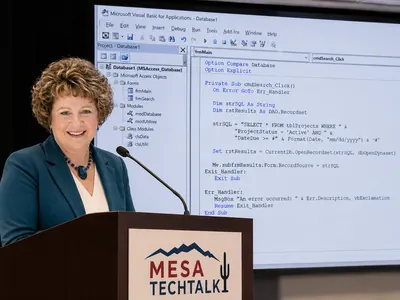
Most people do not start with database vocabulary. They start with aggravation. A screen pauses. A printed total changes. The new computer in the back office cannot find the same data path as the old one. Those are usually the first clues that the file is carrying too much friction.
That is usually when the side notes start.
The first fix is often plain and small: relink one path, shorten one search, put the user file on each workstation. The win is not elegance. It is getting a normal Tuesday back.
A Mesa office can look fine from the outside and still be held togehter by quiet workarounds. One coordinator near Dobson Ranch kept a paper checklist clipped to the monitor because the live status screen froze when too many people touched the same jobs at once. Nobody there used the word concurrency. They just knew the screen could not be trusted during the busiest hour.
The repair was not dramatic. We split the file the right way, moved the busiest tables into SQL Server, and trimmed the forms so they stopped hauling in extra records. Staff kept the same screens. What changed was the waiting, the collisions when two people edited at once, and the stack of side notes that slowly disappeared.
That is a good test for any repair. People stop inventing backup habits. Managers stop asking for a second printout. The database goes back to being a tool instead of a daily negotiation.
Once the main problem is gone, there are usually a few other things worth cleaning up while we are already in the file.
Microsoft also has useful background on file limits and maintenance in Access Specifications, Help Access Run Faster, and Split An Access Database.
Call MS Access Solutions at (323) 285-0939 for your FREE consultation.