





MS Access As A Dev Tool
Access continues to be a highly efficient tool for business database development.
 Call (323) 285-0939
 Right now, somebody in your Yuma office probably builds that weekly summary report by hand. They pull numbers from the database, paste into a spreadsheet, fix the formatting, and send it out. Next week: same thing. Then they do it again next week. That is not a reporting system. That chore produces a document nobody fully trusts.
We build Access databases where reports run from a button, save to the right folder with the right name, and match what management asked for without someone assembling them by hand each time. When the data volume grows past what Access handles well on its own, we move the tables to SQL Server and keep the screens your staff already know. Call (323) 285-0939 and tell us what you are dealing with.
Yuma businesses run on tight schedules. Agriculture operations track irrigation cycles, harvest records, and compliance data. Logistics companies near the port of entry deal with dispatch logs, inventory counts, and vendor receipts every shift. When the database behind those workflows starts producing wrong numbers or taking too long to open, someone always ends up doing extra work to compensate. That is the problem we fix.
Build new databases from scratch, repair files that have drifted over time, write VBA that handles imports and reporting automatically, and move the heavy tables to SQL Server when the Access file has hit its limit.
Yuma-area businesses using Access for inventory tracking, compliance recordkeeping, dispatch scheduling, purchase orders, employee data, and operational reports that run daily or weekly.
Remote delivery for most jobs. We look at the file first, explain what is worth fixing and what is not, and do not start until you understand what the repair or build involves.
All of this work is done remotely, which saves you both travel time and cost. We help companies across Yuma County -- San Luis, Somerton, Wellton -- that need faster reporting, cleaner imports, or a database that stops causing problems when the team is at full strength.
Call: (323) 285-0939
Service Area: Yuma, San Luis, Somerton, Wellton, And All Of Yuma County, AZ
Owner And Access Expert: Alison Balter
Microsoft Certified Solutions Developer (MCSD)
Microsoft Certified Professional (MCP)
Microsoft Certified Trainer (MCT)
Microsoft Certified Partner (MCPa)
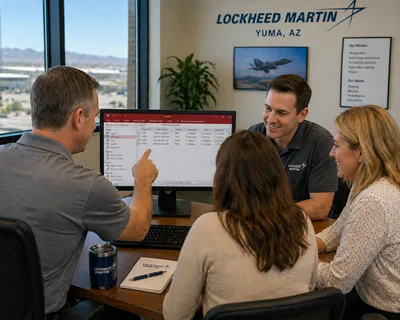
Lockheed Martin runs F-35 program support at Marine Corps Air Station Yuma, and MS Access Solutions has provided Microsoft Access programmer services to Lockheed Martin company-wide, including at that location. Alison Balter, owner of MS Access Solutions, built the custom database from the ground up. The work meant designing a table structure that could hold data cleanly across departments, writing queries that summarize it accurately, building reports that give staff what they need without digging through raw records, and writing Visual Basic for Applications (VBA) to handle the logic behind each screen. Macros take care of the steps that have to run without user input. SQL Server sits on the back end because a company-wide deployment needs more than a local file can hold. MS Access Solutions signed a Non-Disclosure Agreement with Lockheed Martin, so the specifics of what the database manages stay off this page. What does not have to stay off this page: Alison Balter has 36 years working with Microsoft Access, has authored 15 published books through Sams Publishing, and holds MCSD, MCP, MCT, and MCPa certifications. When your Yuma business needs a Microsoft Access programmer with a verifiable record at the enterprise level, call (323) 285-0939.
Yuma's business mix is different from the rest of Arizona. Agriculture, border logistics, and military-adjacent support operations all generate high-volume recordkeeping. The Access databases behind those workflows often started as something small and turned into the actual system of record. Nobody planned for that. The file just kept getting added to.
Alison Balter has spent more than 36 years working on databases exactly like that. Some need a targeted repair. Others need a proper split, cleaner table design, or VBA that handles the recurring import work so it does not eat someone's morning every day. The answer depends on what the file is actually doing now, not what it was supposed to do originally.
One thing we see often in Yuma: compliance and reporting deadlines that are not flexible. When the database falls behind, there is no extra time to troubleshoot. We document what we find before we touch anything, work in a copy, and give back a file with notes on what changed and why.
You can also review our Arizona page for broader statewide coverage.

We work with businesses across Arizona on Microsoft Access database programming, repair, automation, and migration. These city pages cover the kinds of Access problems we help solve across the state.

Phoenix handles the widest variety of Access work -- large files, heavy concurrent use, and reporting systems that have been patched and extended over many years.
Learn More
Tucson work is often about inherited files that have slipped over time -- broken references, bloated sizes, and features that stopped working after an Office update.
Learn More
Mesa requests tend to be practical -- form fixes, query cleanup, and report corrections that have been on someone's list long enough to become a daily slowdown.
Learn More
Chandler work frequently centers on splitting a shared database correctly -- separating front end from back end and resolving the locking issues that follow.
Learn More
Gilbert businesses often want recurring manual processes replaced -- imports, exports, and end-of-day jobs that run the same steps every time and should not need a person.
Learn More
Glendale requests tend to involve cleanup and incremental improvement -- the business wants a better database without giving up the workflow people already know.
Learn More
Scottsdale work frequently uncovers more than the original request -- a form fix leads to a query problem, which traces back to a table design that never quite fit the data.
Learn More
Peoria databases tend to carry unfinished automation -- macros that half-work, report steps that still need hand-holding, and imports that someone runs manually every morning.
Learn More
Tempe databases often carry years of additions from different people -- the work there usually starts with understanding what the file actually does before touching anything.
Learn More
Surprise databases are usually inherited -- built by someone who has since left, grown since then, and now understood only partially by the people who use it every day.
Learn More
Goodyear work is typically focused -- specific repairs, form cleanup, and getting the file to a state where staff can trust what it returns without a second-check in Excel.
Learn More
San Tan Valley is growing fast and the databases behind that growth often were not built to scale -- the work there is frequently about catching up with the business.
Learn More
Avondale databases usually have more dependencies than anyone tracked -- the work starts by mapping what connects to what before anything gets changed.
Learn More
Buckeye is a good fit for new database builds and practical repairs when a growing business has outgrown its current setup.
Learn More
Flagstaff businesses can count on the same remote Access support, repair, and upgrade work we provide across Arizona.
Learn MoreNeed Microsoft Access help in another part of Arizona? Call (323) 285-0939 or contact us online -- all work is handled remotely, so location is never a barrier.





Access continues to be a highly efficient tool for business database development.

How to create a Microsoft Access application with some unique tips and tricks.

Your Access developer near me has some great info for you about using Microsoft Access efficiently.
Answer: Usually it comes down to one or two things: the query behind the report is pulling too many records across the network before it filters them down, or calculated fields are doing work they should not be doing at print time. Missing indexes on the date and status columns are also a common culprit. We trace the report from its record source back through any linked queries, check where the heavy work is happening, and move it earlier in the chain.
Answer: Split the database if it is not already split, and make sure every staff member runs their own local front-end copy. That one change fixes most write conflicts without touching anything else.
Answer: Yes, and it is a common request. We build import routines that pick up the file, validate the fields, flag bad rows instead of skipping them silently, and append the clean records into the right table. We aim for a one-click import that runs in under a minute and produces a short exception report -- so a formatting change from the vendor gets caught before it causes a bigger problem. If the vendor ever changes their column order, the routine catches it instead of loading garbage quietly.
Answer: It depends on how deep the problems go. Some layered databases have a sound structure underneath the rough code. Others have grown into something where each fix made the next problem harder to trace. We read through the queries, forms, and modules before touching anything, and tell you what is actually repairable versus what needs to come out. Sometimes a partial rebuild of just the worst sections is faster than anyone expects.
Answer: Yes. We set up VBA that handles the OutputTo call, builds the file name from date, batch number, or any field in your data, and saves to a designated folder. Here is a quick checklist of what a solid automated PDF export covers:
Answer: When the file stays bloated past 500 MB after compact and repair, or more than five or six people are writing to it at once. SQL Server takes over the storage; Access stays as the front end your staff already knows.
Answer: Office updates are one of the most reliable ways to break VBA. The update changes a library reference, the VBA project goes into a broken compile state, and everything dependent on that library stops. Open the VBA editor, go to Tools then References, and look for anything flagged as MISSING. Clearing the broken reference and pointing it to the current version fixes the compile error. If several references are broken at once, it usually means the database was last properly maintained a few Office versions ago and the fix is still the same process, just done a few more times.
Automated PDF output sounds simple until it fails at 6 AM when nobody is watching. A report that printed fine yesterday produces an error today because a default printer changed, the export path moved, or a date field in the file name has a slash that the operating system will not accept. No error message appears. No PDF lands in the folder. The person who checks for it assumes it ran.
Access hands the PDF job to whatever printer driver is registered as the default. If that changes, the report output changes with it. Binding the report to a specific driver profile in the VBA export call -- instead of letting it inherit the system default -- removes that dependency. OutputTo with acFormatPDF bypasses the printer entirely and is the more reliable approach for scheduled or batch output.
Once this is set up correctly, the export runs from a button and the file is where it should be. If something goes wrong, the log tells you exactly what failed instead of leaving someone to chase down whether the report ran at all.
Most Access databases were built for a smaller version of the business. At the time, the record counts were manageable and reports ran quickly. Then the business grew, more people got added, and the same file started carrying more than it was ever meant to handle.
Two things usually show up together: slow reports and write conflicts. Reports that ran in under ten seconds now take two to three minutes. Two people editing different records in the same table start seeing write conflicts. File size has passed 800 MB despite running compact and repair regularly. These are not random failures. They are signals that the architecture has reached its ceiling.
The split database setup addresses the worst of this. Moving the data tables to SQL Server while keeping the Access front end in place removes the file size constraint, improves concurrent write handling, and gives you a real backup and recovery story. The forms, reports, and queries stay in Access. Staff do not notice the change except that things run faster.
Yuma businesses often ask whether improving a working database means starting over. It usually does not. Most of the additions below can be dropped into an existing Access file without touching the tables or replacing the screens people already know.
Each addition is built around the way the business actually runs and delivered as a versioned build with a rollback copy. Nothing ships until it has been tested against real data.
When you need a Microsoft Access programmer to fix your database, call (323) 285-0939.