

MS Access As A Dev Tool
Access continues to be a highly efficient tool for business database development.
 Call (323) 285-0939
 Access files in Tucson get patched for years by different people, and at some point a report stops running clean, a button quits working, or an import starts dropping rows. We find the actual cause -- not the symptom -- and fix it.
Dispatch, job costing, and inventory databases see the hardest daily use. When the file needs more than a patch, we document what is there, repair what is failing, and leave it in a state that holds up. Call (323) 285-0939 to talk through what is going wrong.
Tucson runs a lot of Access databases that started small and grew into something nobody planned for. Dispatch operations, job costing files, intake forms, billing systems -- they get added to over the years, and at some point the imports stop working clean or the reports start taking too long. We find what is actually causing the problem and fix it, whether that means a targeted repair, a split back-end, or moving tables to SQL Server when the file has hit its limit.
Broken imports, slow forms, VBA errors, corrupt files, and reports that stopped producing correct output. We trace the cause first, then fix the actual problem -- not the symptom.
Tucson businesses in field service, logistics, healthcare billing, manufacturing, and professional services that run daily operations from an Access database.
You share the file, we review it and tell you what we find, then we do the work remotely. No on-site visits, no delays. Most repairs start the same day we receive the database.
All work is handled remotely. We serve businesses across Tucson, the Foothills, Midtown, the I-10 corridor, and surrounding areas including Marana, Sahuarita, and Sierra Vista.
Call: (323) 285-0939
Service Area: Tucson, Marana, Sahuarita, Sierra Vista, And Southern Arizona
Owner And Access Expert: Alison Balter
Author: 15 Books On Microsoft Access (Sams Publishing)
300+ Internationally Marketed Training Videos
Microsoft Certified Solutions Developer (MCSD)
Microsoft Certified Professional (MCP)
Microsoft Certified Trainer (MCT)
Microsoft Certified Partner (MCPa)
Tucson offices that run operations through Access tend to call us for one of a few things: a shared file that has started locking users out during the morning rush, an import that broke after someone left, or a month-end report that times out before finance can close the books. We sort out what is actually causing the issue, fix it, and extend the database where it needs to go -- split back-end, role-based access, SQL Server upsize, or dashboards that pull the right numbers without manual assembly.

MS Access Solutions designed and built a custom Microsoft Access database for Lockheed Martin, including the Missiles and Fire Control facility in Tucson, Arizona. Alison Balter, owner of MS Access Solutions, developed the application -- tables, queries, reports, Visual Basic for Applications (VBA) automation, macros, and SQL Server as the back-end data store. The result is a database dashboard that runs without lag even on large datasets. Engineers use it daily, both on-site and remote, and the forms reflect the way their work actually flows. MS Access Solutions signed a Non-Disclosure Agreement with Lockheed Martin, so the specific nature of the data cannot be discussed. We have the experience and expertise to handle that kind of work — 36 years of Access development means we have seen what fails in production and what holds up. Alison has worked with Microsoft Access for over 36 years. She has authored 15 published books on the platform with Sams Publishing and produced more than 300 internationally marketed training videos. Her certifications include Microsoft Certified Solutions Developer (MCSD), Microsoft Certified Professional (MCP), Microsoft Certified Trainer (MCT), and Microsoft Certified Partner (MCPa). That is the background Lockheed Martin was working with.
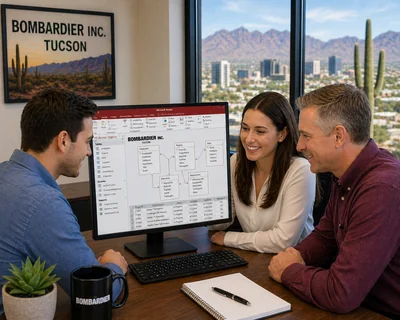
MS Access Solutions has an ongoing working relationship with Bombardier Inc. at its Tucson Service Centre, located at Tucson International Airport. Bombardier's Tucson facility is the largest of the company's aircraft service centers worldwide -- nearly a million square feet of hangar space, over 900 engineers and technicians on staff, serving both commercial and business aircraft around the clock since 1976. Six consecutive FAA Diamond Awards for maintenance excellence. Alison Balter, owner of MS Access Solutions, came in when the existing Microsoft Access database had problems. She repaired it, rebuilt the queries and reports that were causing issues, migrated the tables to SQL Server, and has been handling maintenance since. Experience matters on a project like this. Alison has worked with Microsoft Access for over 36 years, has authored 15 published Microsoft Access books with Sams Publishing, and holds Microsoft Certified Solutions Developer (MCSD), Microsoft Certified Professional (MCP), Microsoft Certified Trainer (MCT), and Microsoft Certified Partner (MCPa) credentials. MS Access Solutions continues to provide Access database management services to Bombardier."
We start with the highest-impact problem, fix it, and tell you what we did. Then we move to the next one. No large scopes that sit for weeks before anything ships. If you want to read what other organizations say about working with us, our client reviews are on the site. To get started, send a quick note or use our contact page.
Call (323) 285-0939 or request a project consult today.
Learn more about Alison Balter and our background.
Access databases in Tucson tend to accumulate problems quietly -- a form that takes longer to open each month, an import that started dropping rows after a staff change, a shared file that locks more often than it used to. We trace what is actually causing the issue, clean up the table relationships behind it, and fix the specific screens people depend on every day.
Most fixes are practical: we split the front end, tighten indexes behind the busiest queries, and pull out VBA loops that hit the same lookup over and over. If data volume or concurrency is the real issue, we move tables to SQL Server and keep your Access forms in place. That usually happens in stages -- highest-traffic tables first, verify nothing breaks, then move the rest.
One thing we see often in Tucson: the person who built the database left two or three years ago, nobody fully understands it now, and staff have developed workarounds for the parts that stopped working right. Before we change anything in that situation, we document what is actually there -- every table, every query feeding a report, every VBA module. That step takes a day. It saves weeks of fixing one thing and quietly breaking two others.








Access continues to be a highly efficient tool for business database development.

How to create a Microsoft Access application with some unique tips and tricks.

Your Access developer near me has some great info for you about using Access efficiently.
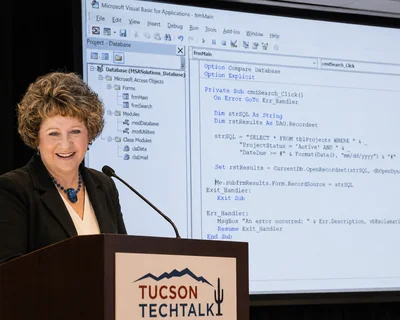
Most Tucson databases that that we fix did not fail all at once. They got slower. Reports that used to run in thirty seconds started taking four minutes. A form that opened fine for one person would hang for a second user. Then someone added a workaround, and someone else added another one on top of it. By the time the client calls, the original design is buried under two or three layers of fixes that created their own problems.
Root cause is almost always structural: relationships that were never enforced, so duplicate records built up for years. Queries pull more columns than any form actually uses. Tables that started as one thing got repurposed for three others without the structure to support it. In Tucson dispatch and inventory files specifically, we see job records linked to customer IDs that no longer exist -- orphaned rows that make totals wrong without throwing any visible error.
Not every situation needs a rebuild. Most of the time we go in, document what is there, close the gaps in the relationships, and clean up the three or four queries causing the worst slowdowns -- a day or two of work rather than weeks. Files that genuinely need a full rebuild are the ones where the structure was wrong from the start: no primary keys, everything in one flat table, dates stored as text. Those are less common than people expect.
One thing worth knowing: compact and repair helps with file bloat, but it does not fix a structural problem. We see files that get compacted every week and still run slowly, because the size was never the issue -- the queries were. Compact is maintenance, not diagnosis.
Tucson clients often wait too long before asking about form redesigns, because the form still technically works. It opens, staff enter data, it saves. But three people have added fields to it over the years without removing the ones that no longer apply, the tab order goes in the wrong direction, and new staff take two weeks to learn something that should take two days. That is a form that has outgrown its original design.
Staff keeping a cheat sheet next to the keyboard is usually the clearest sign. If someone has to remember which fields to skip, or which dropdown value actually means something different from what it says, the form is doing more harm than good. We have seen billing forms in Tucson healthcare offices where four of the twelve fields on screen were never filled in -- left over from a workflow that changed two years ago and nobody removed them.
A form rebuild in Access does not mean rebuilding the database. Usually it means redesigning the screen layout, removing fields that belong elsewhere or nowhere, and fixing the tab order so new staff are not hunting around. A few VBA handlers get added so the most common actions take one click instead of five. None of that touches the underlying tables -- the data stays put, and reports that already work keep working. In most cases, staff are moving faster within the first week.
Sometimes a form rebuild is not the right move; when messy data is the real problem, not the screen layout. Fixing what staff see does not fix what is in the tables. That is a different conversation, and usually a shorter one than people expect once we pull up what is actually in there.
Answer: Yes, with the right setup. Splitting the database into a local front-end and a shared back-end removes most of the contention. Forms get redesigned for single-record edits so users do not step on each other, and an auto-updater keeps every workstation on the same build. For Tucson offices where staff work from the same file all day, that split alone fixes the majority of locking complaints.
Answer: That is something we do regularly. We upsize tables with correct data types, add keys and indexes, and move heavy reporting queries to server-side views. The cutover is staged -- pilot run first, rollback point in place -- so daily work does not stop.
Pass-through queries keep performance fast and the Access interface your team already knows stays in place. For staff in Tucson offices or working remotely, we put together a short handoff note or a quick walkthrough video so the cutover does not turn into a support queue.
Answer: Slow performance in Access over VPN usually comes from one of four places:
We profile each one, fix the worst offenders first, and verify the result over a real VPN connection before calling it done.
Answer: We start by looking at the file before we agree to anything. That usually takes a few hours -- we check what tables are there, what queries feed the reports people actually use, and where the obvious problems are. Then we write down what we found and what we would do first, in plain terms, not a project plan. Most Tucson clients want to know two things: what is going to break next, and what do we fix first so the database survives the week. We handle those two things before anything else.
Answer: Shared files that have grown past what the network share can handle, import routines that started dropping rows after a staff change, and month-end reports that time out over VPN. Dispatch, inventory, and job costing databases collect problems faster because they get used hard every day. Before touching anything, we review what is actually causing the issue -- fixes aimed at symptoms tend to create new ones.
Answer: All work is handled remotely. You share the file, we review it, and we send back the corrected version. No travel, no office visits, no scheduling around a drive across town. Work starts the same day we receive the file.
Answer: It depends on what the project involves. A focused repair -- one broken import, a specific VBA error, a report that stopped running -- can turn around in two or three business days. A new database build or SQL Server migration takes longer, and how much longer depends on how many tables, forms, reports, and automation routines are in scope. After reviewing the file we give a clear estimate, and we communicate throughout so nothing lands as a surprise.
We work with businesses across Arizona on Microsoft Access database programming, repair, automation, and migration. These city pages cover the kinds of Access problems we help solve across the state.

Phoenix is where we see more large files, harder repair work, and reporting routines that have been accumulating problems for years.
Learn More
Mesa often comes down to day-to-day database fixes, small recurring repair gaps, and cleanup that should have happened years ago.
Learn More
Chandler is a good fit when the main need is untangling older routines and getting a database easier to maintain and rely on again.
Learn More
Gilbert is usually more about repair work, report fixes, and the kind of cleanup that keeps a shared file from getting worse over time.
Learn More
Glendale puts more weight on custom work, cleanup, and modernization that does not force a business to abandon what is already working.
Learn More
Scottsdale tends to involve older files that need more than a quick patch, especially when the workflow has grown unreliable over time.
Learn More
Peoria is where the conversation often shifts to broken tables, macros, reports, and routines people still work around by hand.
Learn More
Tempe focuses on targeted repairs, steadier reports, and practical fixes when users have stopped trusting what the file is doing.
Learn More
With Surprise, the issue is often an inherited database that needs sensible updates instead of another layer of workarounds.
Learn More
Goodyear is a better match when the file needs straightforward repairs, better flow, and cleanup that actually sticks.
Learn More
Yuma businesses often need practical fixes and solid database foundations that hold up in a demanding, high-use environment.
Learn More
Avondale is a good fit when the database needs to be more reliable day to day and the current setup has too many moving parts held together manually.
Learn More
San Tan Valley often means a database built for a smaller operation that has since been patched by several people over the years.
Learn More
Buckeye is a good fit for new database builds and practical repairs when a growing business has outgrown its current setup.
Learn More
Flagstaff businesses can count on the same remote Access support, repair, and upgrade work we provide across Arizona.
Learn MoreNeed Microsoft Access help in another part of Arizona? Call (323) 285-0939 or contact us online -- all work is handled remotely, so location is never a barrier.